
X Introduces a Comprehensive History Tab for Enhanced Bookmarking and Content Management
TL;DR
- X has launched a new "History" tab on iOS, consolidating bookmarks, likes, long videos, and articles into one private section for easy revisiting.
- The feature automatically tracks viewed videos and articles alongside manual saves, turning X into a powerful save-it-for-later tool amid fast-moving timelines.
- Initially rolling out to iOS users globally, it enhances user experience for long-form content like educational threads, podcasts, and premium videos.
X is taking another step toward becoming the ultimate destination for content discovery and consumption with the rollout of its new History tab. Announced by X's Head of Product Nikita Bier, this update reimagines how users save and revisit content, addressing the chaos of rapidly scrolling timelines where valuable posts vanish in moments.
What the History Tab Brings to the Table
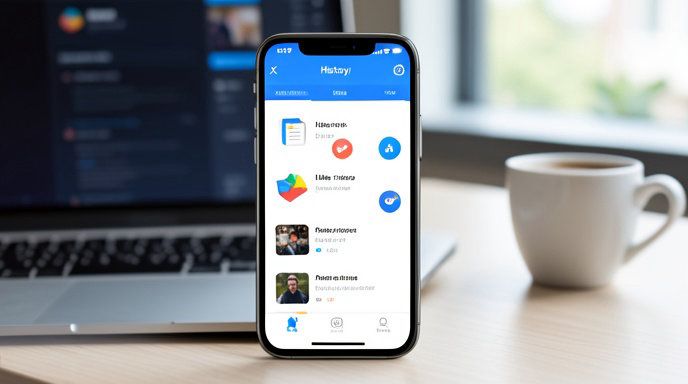
The History tab replaces the old Bookmarks button in the app's left-side menu, creating a centralized hub for all your saved and recently engaged content. It organizes items into four intuitive categories:
- Bookmarks: Manually saved posts for later reading.
- Likes: Content you've hearted, now easily accessible without digging through your profile.
- Videos: Automatically populated with long-form videos you've watched, helping you pick up where you left off.
- Articles: Tracks pieces you've started reading, even if you didn't explicitly save them.
This setup mimics a web browser's history feature but tailored for social media, keeping everything private and user-specific. No more hunting for that one video or thread that caught your eye—it's all right there.
Born from the Fast Pace of X's Timeline
Nikita Bier highlighted the inspiration behind the tab: "The Timeline moves fast." In an era where X prioritizes video, AI recommendations, and algorithmic "For You" feeds, chronological viewing has taken a backseat. Users often lose track of educational threads, interviews, financial analyses, documentaries, or premium creator content as new posts flood in.
The History tab counters this by serving as a "better place for catching up on long-form content." It's especially timely with X's recent shifts, like the algorithmic overhaul of the Following feed and the introduction of a dedicated Video tab for U.S. users (which replaced the Communities tab in the bottom bar).
How It Enhances X as a Save-It-for-Later Powerhouse
This isn't just a reorganization—it's a functional upgrade. Previously scattered features (bookmarks in the menu, likes in profiles) are now unified, creating a customized news reader experience. Scroll through your feed, and watched videos or read articles auto-populate the tabs, making X feel like a personal content library.
For heavy users, this means seamless management of dense timelines. Imagine revisiting a half-watched podcast or an in-depth article without starting searches from scratch. Early reactions on social media praise it as a "quality-of-life improvement," with testers noting its potential for grouping content by topic or interaction type.
Rollout Details and Availability
The feature is launching gradually on iOS, with global expansion underway—update your app to check eligibility. Android and web versions may follow, though specifics remain unconfirmed. Privacy is a key emphasis: your History stays hidden from others, focusing solely on your habits.
While X experiments with related ideas like a "Seen" tab for broader post tracking, the current History rollout stands as a practical win for content curation.
Broader Implications for X's Evolution
This move aligns with X's transformation into a video-centric, AI-driven platform. Combined with tools like the new Video tab and account transparency features (such as "About this account" for spotting bots), it positions X as more than a microblogging site—it's evolving into an immersive ecosystem for saving, watching, and learning. As users adapt, expect this tab to become indispensable for anyone serious about curating their feed.

Get All The Latest Updates Delivered Straight To Your Inbox For Free!