
Granola Unleashes Revolutionary Note Taking with New Apple Watch App
TL;DR
- Granola has launched an Apple Watch app that lets users start meeting notes from their wrist for in-person conversations, walking one-on-ones, and other away-from-the-desk sessions.
- The watch app captures audio on the Watch, syncs it to the iPhone, and then generates notes in Granola, with offline recording support and a complication for quick access.
- The release pushes Granola further into ambient, low-friction AI note taking, while requiring watchOS 11 or later and the latest iPhone app.
Granola brings note taking to the wrist
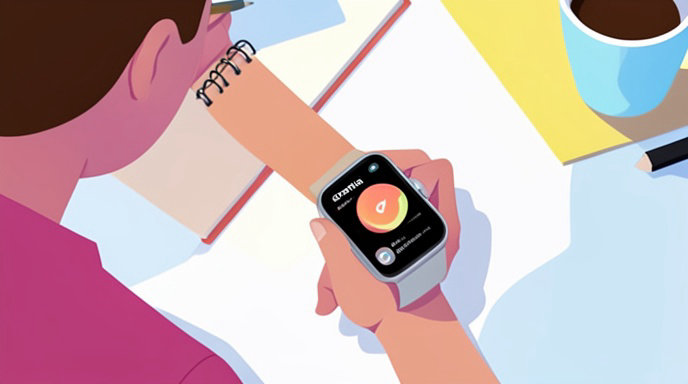
Granola has expanded its AI meeting-notes product to Apple Watch, giving users a way to start recording from their wrist instead of reaching for a phone or laptop. The company says the watch app is built for conversations away from a computer, especially in-person meetings where speed and discretion matter.
How the Apple Watch app works
The Watch app works in tandem with Granola on iPhone: audio is captured on the Watch, sent to the iPhone, and then processed into notes that can be viewed in Granola on iPhone and desktop. Users can open the app directly on the Watch or tap a complication on the watch face to get one-tap access.
Granola’s setup requirements are straightforward: users need the latest iPhone app, an Apple Watch paired with that iPhone, and watchOS 11 or later. If the app does not install automatically, Granola can be installed from the Watch app on iPhone.
Built for in-person conversations
Granola positions the Watch app as a tool for situations where a laptop is impractical and a phone feels too noticeable, such as walking one-on-ones, whiteboard sessions, and coffee meetings. The app starts recording with a single tap and provides a green screen plus sound feedback to confirm that it is listening.
According to Granola’s documentation, the Watch can record offline as well, which means users only need connectivity later when the recording syncs to the iPhone and turns into notes. Granola also says the app is designed to be started manually, rather than automatically transcribing every conversation in the background.
Notes, summaries, and AI follow-up
Granola’s broader product has already focused on turning raw conversation into structured output, including transcripts, summaries, decisions, and action items. On iPhone, the app can also sync with Google Calendar, start notes from widgets, and let users chat with their notes after a meeting.
The mobile experience also supports user-added notes during a conversation, which can shape the AI-generated output later. Granola’s docs say headers and bullet points can help structure the final enhanced notes.
Why the Watch app matters
The new Watch app extends Granola’s “capture first, organize later” workflow into a more portable form factor. That matters because the biggest obstacle in note taking is often not transcription quality, but the friction of starting fast enough in real-life meetings.
For users who move between rooms, campuses, offices, and coffee shops, a wrist-based launcher can be more practical than pulling out a phone. The combination of quick launch, offline recording, and later sync also helps keep the experience low interruption.
Granola’s broader push into ambient AI note taking
Granola first built its reputation on Mac by capturing system audio from calls without sending a bot into the meeting, then generating notes from that recording. Its iPhone app extended that model to in-person conversations and phone calls, and the Apple Watch now becomes another capture point in the same workflow.
That makes the latest release less like a standalone feature and more like a platform expansion: the same note-taking system is now available across laptop, phone, and wrist. For users already relying on Granola, the Watch app removes another barrier between the moment a conversation starts and the moment it is documented.
Availability
Granola for Apple Watch is available now and is free to use, according to Granola’s launch materials and documentation. Users who want to try it need the latest Granola iPhone app and watchOS 11 or later, then can install or enable the Watch app through setup instructions in Granola.

Get All The Latest Updates Delivered Straight To Your Inbox For Free!