
Google Launches Home MCP Server to Let Claude and ChatGPT Control Smart Devices
TL;DR
- Google is rolling out early access to a new Google Home MCP Server that lets AI assistants like Claude and ChatGPT directly control smart home devices using natural language.
- The server enables camera footage summaries, device control, and home activity history, with setup via Claude, Gemini CLI, Home Assistant, and other MCP clients using Google account OAuth.
- Access is currently limited and developer-focused, with Google emphasizing user-controlled permissions, camera data restrictions, and no ad-based data use as it pushes toward an open, AI-driven smart home future.
What Is the Google Home MCP Server?
Google has officially started early access for its Google Home Model Context Protocol, or MCP, Server, a major step toward making the smart home work with any AI assistant, not just Google Assistant or Gemini.
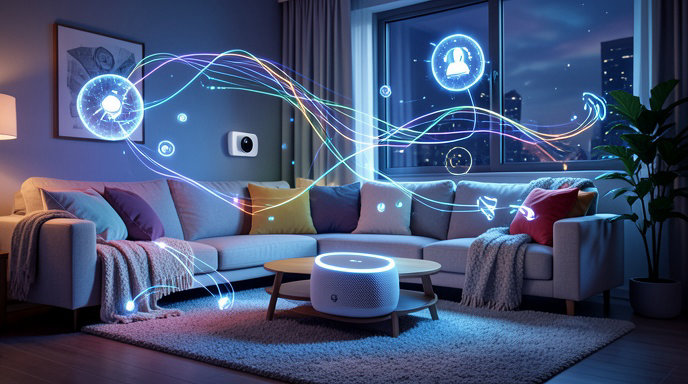
MCP is the open standard originally created by Anthropic to let large language models securely connect to outside tools and data. With Google's new server, assistants like Anthropic's Claude and OpenAI's ChatGPT can now tap directly into your Google Home ecosystem. Instead of building custom integrations, the AI model simply talks to Google Home through MCP, then issues commands or pulls context on your behalf.
In practice, that means you can chat with Claude on the web or desktop and ask it to do things in your house. Google is positioning this as part of its broader Home APIs push to turn Google Home from a closed app into an open platform for developers and AI agents.
How Natural Language Control Actually Works
The headline feature is true natural language control of devices. Rather than using rigid commands like Hey Google, turn off living room light, you can have a fluid conversation with your chosen assistant.
Once linked, Claude or ChatGPT can list your devices, check their status, and control them. You can say things like make it cozy in here, turn everything off downstairs except the porch light, or set the bedroom to 68 degrees and dim the lamps. The assistant interprets intent, resolves which devices you mean, and sends the actions through the MCP server to Google Home.
Because it works through the assistant's reasoning, it can handle multi-step routines in one prompt. For example, I'm leaving for the weekend can trigger lights off, thermostat to eco mode, locks checked, and cameras armed, with the AI confirming each step back in chat.
Camera Summaries and Activity Access Explained
Beyond on-off control, the two most powerful tools in early access are camera summaries and home activity access.
For Nest cameras and doorbells, supported MCP clients can request still snapshots or short summaries of recent events. You can ask what happened at the front door in the last two hours and get a text recap like a delivery person arrived at 2:14 p.m., package left on porch, no motion since, instead of scrubbing through video timelines.
Home activity access gives assistants permissioned history of device states and automation events. That includes things like when doors locked, when motion was detected, thermostat changes, or lights toggled. This lets AI answer questions like did I leave the garage open this morning or why was the hallway light on at 3 a.m., and then take action if needed.
Google says camera clip access in this early phase is intentionally limited to summaries and images rather than full continuous video streaming to third-party models, a move aimed at balancing usefulness with privacy and bandwidth.
How to Get Early Access and Set It Up
The rollout is currently labeled early access and is not yet fully open to the public. Developers and testers need to apply through Google's Home Developers portal and join the Google Home MCP Server early access program.
Once approved, setup is relatively straightforward for anyone familiar with AI developer tools. Google supports popular MCP clients including Claude Desktop and web, Gemini CLI and Android Studio, Cursor, Visual Studio Code, Home Assistant, and other MCP-compatible hosts.
The general flow is to add the Google Home MCP server URL in your client, authenticate with your Google account via OAuth, select the home structure you want to share, and grant granular device permissions. After linking, new tools like smart-home-control, camera-query, and activity-search appear inside the assistant. No custom code or bridge hardware is required.
Google has not yet announced a date for general availability, but the company says access will expand in waves over the coming weeks.
Privacy, Security, and Permissions
Because this connects powerful AI models to cameras, locks, and microphones inside your home, privacy is the central concern.
Google says users remain in control. You choose which home, which rooms, and which device types each MCP client can see. OAuth tokens can be revoked at any time from your Google Account settings, instantly cutting off Claude or ChatGPT. Google also states that camera footage and home data accessed via the MCP server is not used for advertising, and third-party AI providers are governed by their own data policies once you share information with them.
Still, experts caution users to be selective. Granting activity history and camera summaries to a cloud chatbot means sensitive patterns, like when you are home or away, could be processed outside Google's servers. For now, Google recommends starting with lights and thermostats, reviewing client data retention settings, and using separate test homes for experimentation if possible.
Why This Matters for the Future of Home Automation
This launch signals a fundamental shift. For a decade, smart homes have been fragmented by rival assistants, with Alexa, Siri, Google Assistant, and now ChatGPT and Claude all competing.
By embracing MCP, an open protocol started by a competitor, Google is betting that the future is interoperable and agent-driven. Your home becomes a set of tools any trusted AI can use, rather than being locked to one voice assistant.
If successful, it could unlock far more capable home agents that combine web knowledge, personal calendar context, and live home state. Imagine ChatGPT noticing a heat wave forecast, checking that no one is home via activity history, and pre-cooling the house before you arrive, all confirmed in a single chat thread.
For developers, it also lowers the barrier dramatically. Instead of learning the full Smart Home API stack, they can prototype automations just by prompting an AI with access to the home.
Challenges remain around reliability, latency, and safety for critical devices like locks and security systems. But with Claude and ChatGPT now able to peek into and act on your living room, Google's MCP server may be the clearest glimpse yet of what a truly conversational smart home looks like.

Get All The Latest Updates Delivered Straight To Your Inbox For Free!