
Google's $899 Googlebook Bets You'll Buy a New Laptop Just for Gemini
TL;DR
- Google's $899 Googlebook is an AI-native laptop built from the ground up around Gemini, not just a Chromebook with a chatbot bolted on.
- Gemini lives at the OS level with a contextual cursor, system-wide dictation, live widgets, and a generative desktop that adapts to your work.
- The big gamble: Google is asking users to buy new hardware just for AI, betting deep integration beats Apple and Microsoft's more cautious approach.
A Laptop Built Backwards From Gemini
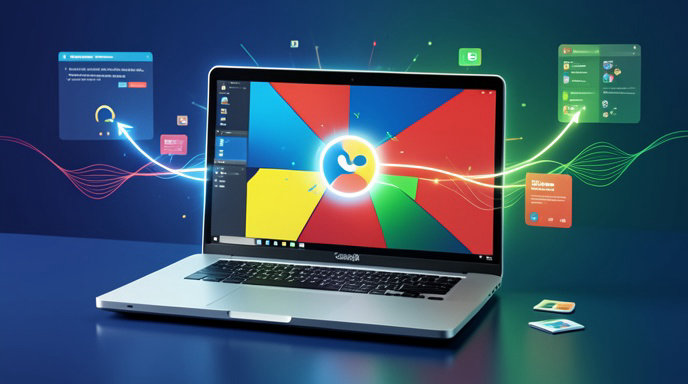
Google didn't start with specs and then ask where to put AI. With the Googlebook, it started with Gemini and then designed a laptop around it. The result is the company's clearest statement yet that the future of personal computing isn't faster chips or thinner bezels — it's an assistant that never leaves your side.
Unveiled as a $899 flagship, the Googlebook sits squarely between premium Chromebooks and entry-level MacBook Airs and Copilot+ PCs. Google is not pitching it as a spec monster. It's pitching it as the first laptop where you don't open the AI, you just use the laptop and the AI is already there.
Price, Positioning, and Design
At $899, Google is playing aggressively. That's $100 to $200 less than a comparable MacBook Air and right in line with Microsoft's Copilot+ Surface Laptop range, but with a very Google approach to hardware: minimal, matte, and light.
The Googlebook features a 14-inch 2.8K OLED display with a 120Hz refresh rate, an aluminum unibody in Porcelain and Obsidian, and a weight just under 2.8 pounds. There's a full HD webcam with AI framing, a haptic trackpad, and a dedicated Gemini key replacing the old Launcher key. Inside is Google's custom Tensor G5 laptop chip paired with a dedicated TPU block for on-device Gemini Nano tasks, 16GB of RAM as standard, and 512GB of storage.
No fans in the base model, all-day 14-hour battery claims, and instant wake. It's familiar hardware, intentionally so — Google wants the radical part to be the software.
The Cursor That Thinks With You
The most talked-about feature is the Gemini Cursor. Double-tap the Gemini key or hover-plus-pinch on the trackpad and a glowing cursor takes over. It doesn't just click — it understands context.
Highlight a dense PDF and the cursor offers to summarize, translate, or turn it into a table. Hover over code and it explains the function. Drag across travel dates in Gmail and it builds an itinerary. It's system-wide, working across web apps, Android apps, Docs, and even local files, with on-screen actions you can approve or edit.
Unlike traditional assistants that live in a sidebar, this feels like the pointer itself got an IQ upgrade. Google says most requests run through Gemini Flash for speed, with Pro models kicking in for complex reasoning.
Dictation and Voice Finally Grow Up
Google is also going all-in on voice. The Googlebook's system-wide dictation isn't just speech-to-text — it's speech-to-intent.
Tap the mic on any text field and you can ramble, self-correct, and give commands mid-sentence. Say "email Sarah — actually make it Slack, keep it casual, add tomorrow's meeting notes" and Gemini cleans it up, switches apps, and drafts it in your tone. It handles 70+ languages, works offline for basic transcription via the on-device model, and can do live meeting summaries with speaker labels without sending audio to the cloud if you toggle Private Processing.
For creators, students, and multitaskers, this could be the sleeper hit — less typing, more talking.
Widgets and a Generative Desktop
ChromeOS was always clean to a fault. The Googlebook changes that with a new Gemini desktop.
Instead of a static wallpaper and app grid, you get Live Widgets powered by Gemini: a morning briefing that pulls calendar, weather, traffic, and top emails; a project stack that groups your Docs, Drive files, and tabs by what you're actually working on; and suggested actions like "prep for 2 p.m. standup" or "finish expense report."
You can type prompts right onto the desktop — "make a focus space for my Tokyo trip" — and Gemini generates a themed hub with widgets, folders, and backgrounds. It's playful, a little like Android widgets meets generative AI, and a clear break from Windows and macOS.
Will Anyone Buy a Laptop Just for AI
That's the $899 question. Google is betting that deep, always-on Gemini is enough to break the upgrade cycle. So far, consumers have been skeptical of AI PCs. Copilot+ laptops haven't sparked a supercycle, and Apple Intelligence has rolled out slowly despite powerful hardware.
Google's advantages are price, simplicity, and ecosystem. If you live in Gmail, Docs, YouTube, and Android, the Googlebook promises the most cohesive AI story yet with no subscription required at launch — Gemini Advanced features are included for one year.
The risks are just as real: privacy concerns around an OS that watches everything, reliance on the cloud for the best models, and the lingering question of whether people want proactive AI or just a fast, quiet laptop that lasts all day.
Early verdict: The Googlebook is the boldest vision for an AI laptop we've seen. Whether it's $899 well spent depends on one thing — do you trust Gemini enough to let it drive.

Get All The Latest Updates Delivered Straight To Your Inbox For Free!