
Apple Siri Recaps Review: Surprisingly Useful, Yet Unsettling
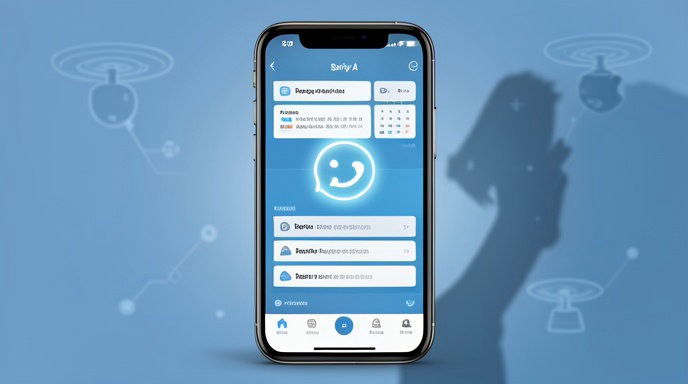
TL;DR
- Siri Recaps can turn scattered daily activity into a convenient, readable overview, making Apple’s AI feel genuinely useful.
- The same feature raises uncomfortable questions about how much personal data Siri can access, infer, retain, and summarize.
- Apple still needs clearer controls, stronger transparency, better accuracy, and more consistent availability before Recaps feels fully trustworthy.
A Useful New Layer for Daily Information
Apple’s AI-powered Siri Recaps are designed to solve a problem many people experience every day: important information is spread across messages, reminders, calendars, emails, notifications, health data, and countless small interactions.
Instead of forcing users to search through individual apps, Recaps promise to assemble that information into a short, natural-language briefing. A user might see a summary of upcoming appointments, unfinished tasks, recent conversations, travel details, or personal activity without manually opening each source.
That concept is hardly new. Google, Microsoft, Samsung, and a growing number of third-party apps are already using generative AI to summarize information. Apple’s approach is different mainly because of where the data lives. Siri is positioned as a system-level assistant with access to many of the apps and services people use throughout the day.
When it works, that integration makes Recaps feel less like another chatbot and more like a quiet organizational layer sitting on top of the iPhone.
Why Siri Recaps Can Be Surprisingly Useful
The strongest argument for Recaps is convenience. Most people do not need another app for productivity; they need the information already on their devices to become easier to understand.
A well-constructed recap could answer practical questions such as:
- What do I need to do today?
- Did I miss an important message?
- What appointments or deadlines are approaching?
- What changed while I was unavailable?
- How active was I during the day?
The benefit is not necessarily that Siri reveals information users could not find themselves. The benefit is that it removes the friction involved in finding it.
A daily summary can also help people who struggle with notification overload. Rather than interrupting users repeatedly, Apple could group low-priority information into a digest that is available when convenient. That approach is potentially less distracting than a constant stream of alerts.
The feature may be particularly valuable for people managing busy schedules, family responsibilities, travel, schoolwork, or health routines. A recap that connects related pieces of information could provide context that individual notifications lack.
A missed message about a dinner reservation, a calendar event, and a map suggestion are separate items in Apple’s ecosystem. A useful assistant could recognize that they belong to the same plan.
The Personalization Problem
The more useful Siri Recaps become, the more personal the underlying analysis must be.
A generic summary of unread notifications is relatively straightforward. A genuinely helpful personal briefing requires Siri to understand relationships between events, infer priorities, distinguish important information from noise, and recognize patterns in a user’s routine.
That creates a difficult balance. If the recap is too cautious, it becomes little more than a list of notifications. If it is too interpretive, it can make incorrect assumptions about a user’s intentions, relationships, or priorities.
Generative AI is especially vulnerable to this problem. A summary can sound confident while misstating a date, confusing two people, overlooking a cancellation, or presenting an outdated message as current.
Those mistakes are not merely cosmetic when the information concerns travel, work, medical appointments, finances, or personal relationships. The more authority users give the feature, the more damaging a plausible but incorrect recap could become.
Privacy Is the Central Concern
Siri Recaps raise a more fundamental question than whether the summaries are accurate: what does Apple need to know in order to create them?
A recap might draw from messages, email, calendars, reminders, location information, health and fitness records, browsing activity, and app usage. Even if Apple processes much of that data on the device or through privacy-focused infrastructure, the feature still needs access to highly sensitive material.
This creates several possible risks.
A recap could expose private information to someone who picks up an unlocked iPhone. It might display a sensitive appointment, relationship detail, financial reminder, or health-related activity in a notification preview. A summary could also reveal information that the user did not realize was connected across apps.
There is a difference between granting an assistant permission to read individual pieces of information and allowing it to form a broad picture of a person’s life. Users may understand the first permission while underestimating the implications of the second.
Apple’s privacy reputation gives it an advantage, but it also raises expectations. Statements about on-device processing, limited data retention, and secure cloud infrastructure are important, but they do not replace clear explanations of what is processed, when it happens, and which services are involved.
Privacy Controls Need to Be More Granular
A simple on-or-off switch would not be enough for a feature with this level of access.
Users should be able to decide which applications can contribute to Recaps and which categories of information are excluded. Someone may want calendar and reminders included while blocking messages. Another user may want fitness trends summarized but not location history.
Apple should also provide controls for sensitive topics and specific people. A user should be able to prevent Recaps from mentioning health information, financial details, private conversations, or particular contacts.
The system should clearly identify the sources behind each summary. If Siri says an appointment is coming up, users should be able to see whether that information came from Calendar, Mail, Messages, or another app.
Temporary exclusions would also be useful. A user preparing a surprise party, handling confidential work, or sharing a device with family members should be able to pause personal summaries without disabling Siri entirely.
Transparency cannot be an afterthought. Before enabling Recaps, Apple should explain the feature in plain language rather than relying on broad privacy labels or buried settings.
The Risk of False Confidence
The most unsettling quality of an AI-generated recap is its tone. Summaries are often concise and polished, which can make uncertain information appear authoritative.
A traditional notification presents a discrete fact: a message arrived, an event was added, or a reminder is overdue. A recap interprets those facts. It decides what matters and compresses several items into a narrative.
That compression can remove important context.
A message may have been superseded by a later conversation. A calendar event may have been canceled outside Apple’s apps. A reminder may no longer be relevant. A fitness reading may be incomplete. A summary that fails to communicate uncertainty could encourage users to trust an inaccurate account of their day.
Apple should make uncertainty visible when it matters. The assistant should distinguish between confirmed information and an inference. It should also make corrections easy and learn from user feedback without silently changing behavior in ways that are difficult to understand.
The feature needs an audit trail, not just a polished paragraph.
Performance Will Determine Whether Users Keep It Enabled
AI features often make an impressive first impression but lose their value when they become repetitive or unreliable.
Siri Recaps will need to avoid producing the same generic observations every day. “You have several notifications” is not useful. A good recap should prioritize meaningful changes, unresolved tasks, and time-sensitive information.
It should also adapt to different users. A student, an executive, a parent, and a retiree may have completely different definitions of an important update. The system should learn those preferences while allowing users to inspect and modify them.
Timing matters as well. A morning briefing may be useful for planning, while an evening recap may help users review unfinished tasks. But too many summaries could become another form of notification fatigue.
Apple must also ensure that Recaps work consistently across devices. A summary generated on an iPhone should not conflict with information shown on an iPad, Mac, or Apple Watch. Users should know which device is processing the data and whether the same privacy rules apply across the ecosystem.
A Feature That Could Change How People Use Siri
For years, Siri has struggled to move beyond voice commands and simple automation. Recaps represent a more ambitious direction: an assistant that proactively organizes information instead of waiting for a question.
That shift could make Siri more relevant. Users may not ask Siri to summarize their day, but they may appreciate finding a concise briefing at the right moment.
However, proactive assistance also changes the relationship between user and device. The assistant is no longer merely responding to commands. It is selecting, interpreting, and presenting a version of the user’s life.
That is powerful, but it can also feel intrusive. The feature must earn permission continuously, not just during setup. Users need confidence that Siri will not surface something embarrassing at the wrong time, combine unrelated details, or make a private situation feel exposed.
Apple’s Remaining Work
Apple’s biggest challenge is not making Recaps more ambitious. It is making them dependable and understandable.
The company should focus on several improvements:
- Better factual accuracy, especially for dates, names, locations, and changing plans.
- Clear links to the original messages, events, reminders, or records used in each summary.
- Detailed controls for app access, sensitive categories, people, and devices.
- Visible indicators showing whether information was processed on-device or through Apple’s cloud infrastructure.
- Stronger safeguards for lock-screen previews and shared-device situations.
- A simple way to report errors, correct summaries, and see whether corrections affect future results.
- Reliable behavior across languages, regions, devices, and accessibility settings.
Apple should also resist presenting Recaps as an all-knowing personal assistant. The most trustworthy design would acknowledge limits and invite verification when a summary could affect an important decision.
The Verdict
Siri Recaps are appealing because they address a real problem rather than simply showcasing artificial intelligence. Personal information is fragmented, notifications are overwhelming, and many users would benefit from an assistant that organizes the day into something more manageable.
That usefulness is also what makes the feature unsettling. Recaps become valuable by analyzing more of a person’s life, connecting information across apps, and making judgments about what deserves attention.
Apple has an opportunity to define a more responsible model for personal AI. Its advantage is not merely access to data; it is the ability to build trust through privacy controls, transparent processing, accurate summaries, and respectful defaults.
For now, Siri Recaps feel like a promising but unfinished evolution of the assistant. They could become one of Apple’s most practical AI features, provided the company treats privacy and reliability as core features rather than technical footnotes. If Apple gets that balance wrong, the same convenience that makes Recaps attractive could make users turn them off.

Get All The Latest Updates Delivered Straight To Your Inbox For Free!