
Instagram's Game-Changer: Update Your Old Posts with New Music
TL;DR
- Instagram launched a new “Replace Audio” tool that lets users swap the music on published feed posts and carousels without deleting or re-uploading them.
- The feature preserves all existing engagement metrics, including likes, comments, shares, and reach, keeping the post’s performance intact.
- To use it, go to your post, tap the two-line menu, select “Edit,” then choose the “Replace Audio” option to pick a new track from Instagram’s music library.
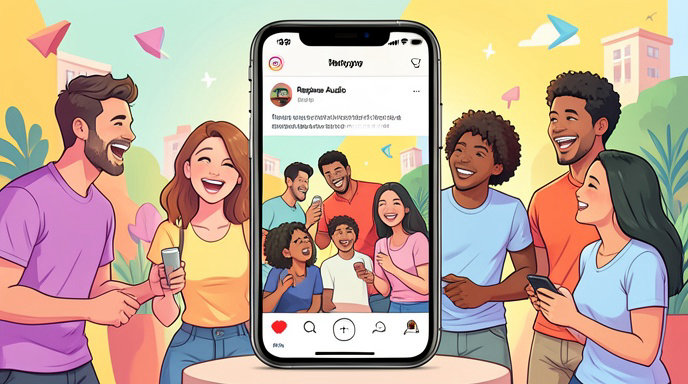
For years, Instagram creators faced a frustrating limitation: if the music on a published post became unavailable or simply didn’t fit the vibe anymore, the only solution was to delete the post and re-upload it—losing all the likes, comments, and reach in the process. That era is now over. Instagram announced on Tuesday that users can officially swap out the music on their published feed posts and carousels using a new “Replace Audio” tool, marking a significant upgrade in creative control for the platform.
Why This Feature Changes Everything
Until now, updating audio on older posts was impossible without sacrificing the post’s lifecycle. Deleting and reposting meant restarting the algorithm’s engagement clock from zero. The new tool eliminates this trade-off entirely. With “Replace Audio,” creators can refresh the soundtrack of a post at any time while keeping the post’s existing likes, comments, shares, and reach intact.
This capability is particularly valuable for:
- Reviving older content that’s lost musical relevance due to copyright issues or trending shifts.
- Experimenting with different audio to see which resonates better without losing prior engagement.
- Maintaining a cohesive aesthetic across a profile by updating mismatched tracks.
Meta describes the feature as a step toward giving creators more creative control over their content, acknowledging that music is often the heartbeat of a post’s emotional impact.
How to Use the “Replace Audio” Tool
The process is straightforward and integrated directly into the post-editing flow. Here’s how to access it:
- Open the Instagram app and navigate to your profile.
- Tap the post (feed post or carousel) where you want to change the audio.
- Click the two-line menu in the top-right corner of the post.
- Scroll down and select “Edit.”
- You’ll now see an option to “Replace Audio”—tap it to open Instagram’s music library.
- Browse or search for a new track, select the desired segment, and tap “Done” to save.
Note that this feature applies specifically to feed posts and carousels, not Reels. For Reels, audio replacement is already possible but limited to cases where audio has been muted or marked “unavailable.”
Reels vs. Feed Posts: Know the Difference
It’s important to distinguish how audio replacement works across different content types on Instagram:
| Content Type | Audio Replacement Capability | Key Limitation |
|---|---|---|
| Feed Posts & Carousels | Full “Replace Audio” tool for any published post | Only available for feed content, not Reels |
| Reels | Can replace audio if it’s marked “Audio unavailable” | Cannot replace audio on Reels with valid, working tracks unless using the muted-audio fix |
| Reels (Muted Audio Fix) | Tap “Audio unavailable” → “Replace audio” → select new track | Only works when original audio is muted or unavailable |
For Reels with working audio, Instagram currently does not offer a universal “swap track” feature like the one for feed posts. In those cases, users may still need to download, mute, and re-upload the video with new audio—a workaround that, unfortunately, still results in losing original engagement.
What This Means for Creators and Engagement
The “Replace Audio” tool addresses a long-standing pain point for creators who rely on music to drive engagement. By allowing audio updates without resetting a post’s performance, Instagram is effectively extending the lifespan of older content. A post that gained traction with one song can now be refreshed with a trending track, potentially attracting new viewers without sacrificing its historical data.
This also aligns with broader trends in social media where content longevity is prioritized over one-off virality. Creators can now treat their feed as a dynamic portfolio, updating elements like audio to keep content relevant over time while preserving the trust and metrics built from earlier interactions.
Availability and Rollout
Instagram has not specified whether the “Replace Audio” feature is available to all users globally or if it’s being rolled out gradually. As with many Meta features, access may depend on app version, region, or account eligibility. Users who don’t see the option yet should ensure their Instagram app is updated to the latest version via the Google Play Store or Apple App Store.
If the feature isn’t available for your account, Instagram may be testing it in select markets before a full launch. In the meantime, creators can still use the muted-audio workaround for Reels or the delete-and-repost method for feed posts if they’re unable to access the new tool.
The Future of Creative Control on Instagram
This update signals Instagram’s growing focus on creator empowerment. By removing the barrier between content freshness and engagement preservation, the platform is encouraging more experimentation and iteration. As music continues to be a core driver of discoverability and emotional resonance, tools like “Replace Audio” will likely become standard across social platforms.
For now, the feature stands as a game-changer for Instagram users who want to keep their content evolving without losing the momentum they’ve already built. Whether you’re a casual poster or a professional creator, swapping out the soundtrack on old posts is now as simple as editing a caption—and just as powerful.

Get All The Latest Updates Delivered Straight To Your Inbox For Free!