
Supabase Data Leak: How Vibe-Coded AI Apps Are Exposing Millions of Users
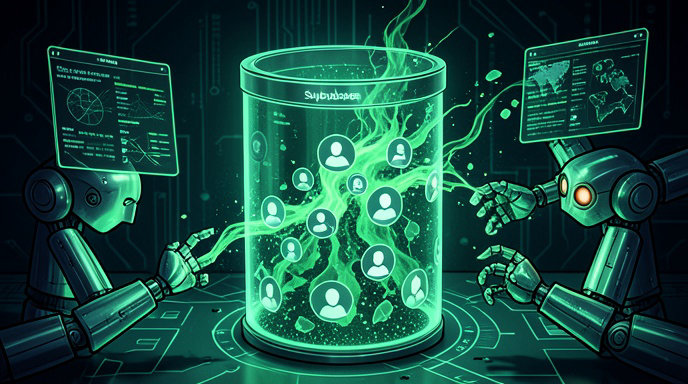
TL;DR
- Security researchers found thousands of Supabase projects exposing sensitive user data to the open internet due to missing Row Level Security rules and leaked API keys.
- AI-generated and vibe-coded apps are dramatically fueling the problem, with chatbots and coding assistants shipping production backends with public read/write access enabled by default.
- Developers can fix the issue by enabling RLS, scoping anon and service_role keys correctly, auditing exposed tables, and rotating credentials immediately.
A Ticking Time Bomb in Your Backend
Supabase has become the go-to backend for the AI app boom. With its instant Postgres database, authentication, and auto-generated APIs, it is the perfect fit for developers moving fast with tools like Lovable, Bolt, v0, Replit, and Cursor.
But that speed is now coming at a massive privacy cost.
In a sweeping new research audit, security researchers discovered numerous publicly accessible Supabase instances leaking vast amounts of personal data to anyone with a web browser. No hacking required. No password needed. Just an exposed project URL and API key was enough to query names, emails, passwords, health records, financial details, resumes, and private chat messages.
The researchers described it as one of the most widespread backend misconfiguration crises since open S3 buckets and unsecured Firebase databases.
The Scale of the Exposure
According to the findings, researchers scanned the web for Supabase project endpoints and tested them for anonymous access. A shockingly high percentage allowed unauthenticated queries.
In total, millions of rows of records were found exposed across startups, AI prototypes, recruitment platforms, healthcare chatbots, e-commerce stores, dating apps, and internal business tools. Many of the projects were live production apps with real users, not test demos.
In several cases, entire databases were not just readable, but writable, meaning anyone could steal, modify, or delete data, inject malicious content, or poison AI training data.
Why Vibe Coding Makes It So Much Worse
The report points the finger directly at the rise of vibe coding.
AI coding assistants are trained to get something working quickly. When a user prompts build me a job board with Supabase or create a therapy chatbot with user history, the AI often scaffolds tables, disables strict access controls to avoid errors, and hardcodes API keys into frontend JavaScript to make the demo work.
Inexperienced founders then deploy that code straight to Vercel or Netlify without ever reviewing security policies. The result is a fully functional, great-looking app sitting on top of a completely open database.
Researchers noted a clear pattern: apps with tell-tale signs of AI generation, like default table names, unedited Lovable or Bolt footers, and API keys pasted into client-side .env files, were far more likely to be exposed than traditionally coded projects.
What Data Was Actually Leaked
This was not just anonymous telemetry. The exposed data was deeply personal and highly sensitive.
Investigators reported finding full names, email addresses, phone numbers, home addresses, dates of birth, plaintext and hashed passwords, password reset tokens, and OAuth tokens. They also found resumes and job applications, medical intake forms and mental health chat logs, bank transaction metadata, business invoices, private support tickets, and internal employee notes.
In one example, an AI-powered hiring tool exposed thousands of applicant resumes with contact details and salary expectations. In another, a wellness AI exposed one-on-one user conversations containing mental health disclosures.
Because Supabase Auth tables and Storage buckets were often misconfigured as well, researchers could in some cases access user profile pictures, ID documents, receipts, and private file uploads.
The Root Cause: Row Level Security Left Off
At the heart of almost every leak is one Supabase feature: Row Level Security, or RLS.
Supabase is built on Postgres, and by default new tables have RLS turned off unless the developer explicitly enables it. When RLS is disabled, anyone holding the project's public anon key can query that table freely via the Supabase REST API.
That anon key is designed to be public and lives in frontend code, which is safe only if RLS policies properly restrict who can see what. Without policies, it is essentially a master key to read everything.
The researchers found three common mistakes repeated over and over:
First, RLS never enabled. Developers created tables via AI-generated SQL and never added ENABLE ROW LEVEL SECURITY or created policies.
Second, overly permissive policies. To fix errors like new row violates row-level security policy, AI assistants often suggest policies like USING true WITH CHECK true, which allows all reads and writes for everyone.
Third, service_role key leaked in frontend. The secret service_role key, which bypasses all RLS, was found hardcoded in mobile apps, GitHub repos, and client-side JavaScript bundles, giving attackers full admin access.
Supabase itself has warned about this for years and now shows security advisors in its dashboard, but vibe-coded workflows often bypass the dashboard entirely.
How Developers Can Lock Down Supabase Right Now
The good news is that these leaks are entirely preventable, and fixes take minutes.
Enable RLS on every table. In the Supabase dashboard, go to Authentication Policies and ensure no table shows RLS disabled in red. Use the Table Editor or run ALTER TABLE table_name ENABLE ROW LEVEL SECURITY.
Create least-privilege policies. Never use true for public access unless the data is truly public, like blog posts. For user data, tie access to auth.uid, for example allowing users to read only rows where user_id equals auth.uid.
Never expose the service_role key. It belongs only in secure server-side environments like Edge Functions or a private backend. Audit your frontend bundle, Git history, and Vercel environment variables today. If it leaked, rotate it immediately in Project Settings, API Keys.
Lock down Storage buckets. Make buckets private by default and create specific storage policies for read, insert, update, and delete. Check for buckets marked Public that contain sensitive files.
Run the Security Advisor and audit logs. Supabase flags tables without RLS and policies with security definer issues. Combine that with regular reviews of exposed endpoints and key rotation.
For teams building with AI, add a final human security pass before launch. Ask your AI assistant explicitly to enable RLS and write restrictive policies, then verify manually. What takes five extra minutes can prevent a breach that ends your startup.
The Bigger Lesson for the AI Era
This Supabase leak is not a flaw in Supabase itself. It is a flaw in how we are building software in 2026.
AI has removed the friction of shipping apps, but it has not removed the responsibility of securing them. A backend that took a team weeks to configure can now be vibe-coded in an afternoon, complete with production data and paying users, but without any of the security review that used to be standard.
Researchers are urging Supabase, Vercel, and AI app builders to make secure defaults mandatory, block deploys with RLS disabled, and automatically scan for leaked service_role keys.
Until then, if you launched a Supabase-powered app with AI help, assume you are exposed until proven otherwise. Check your policies, check your keys, and check them today.

Get All The Latest Updates Delivered Straight To Your Inbox For Free!