
Amazon Alexa Update Me When Turns Your Voice Assistant Into a Personal Shopping Alert Machine
TL;DR
- Amazon's new Alexa feature "Update Me When" lets you ask Alexa to track and proactively alert you about upcoming product drops, book releases, concert tours, and TV shows with a simple voice command.
- The feature marks Amazon's major push into proactive, predictive shopping and entertainment notifications, designed to keep users engaged in the Alexa ecosystem and drive impulse purchases.
- While convenient for never missing a launch, the feature raises new questions about impulse buying, notification fatigue, and data privacy in the smart home.
How "Update Me When" Actually Works
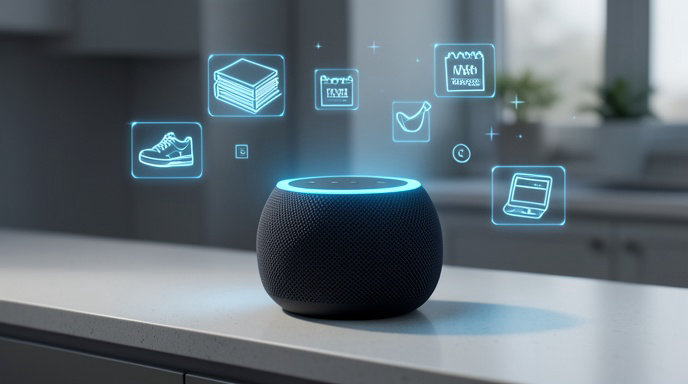
Amazon is turning Alexa from a reactive assistant into a proactive personal tracker. With the new "Update Me When" feature, you no longer have to repeatedly ask if something is available.
Instead, you can give Alexa a standing instruction. Just say, "Alexa, update me when [artist] announces a tour," "Alexa, update me when the next [book series] book is available for pre-order," or "Alexa, update me when [product/brand] launches a new model."
Alexa will then confirm it is tracking your request and notify you via an Alexa device notification and a push alert in the Alexa app when it detects relevant news. According to Amazon, the system pulls from a combination of Amazon shopping data, Amazon Music and Audible catalogs, and licensed web sources to monitor for announcements, pre-order windows, ticket sales, and premiere dates.
You can view, manage, and cancel all your active trackers in the Alexa app under Notifications > Update Me When, and you can also say "Alexa, what are you keeping me updated on?" or "Alexa, stop updating me about [topic]."
The feature is rolling out now to Echo devices in the United States, with no additional setup required beyond the latest Alexa app update.
Why Amazon Is Betting Big on Proactive Alerts
This isn't just a convenience feature — it's a strategic shift for Amazon. For years, Alexa has waited for you to ask. "Update Me When" flips that model, making Alexa initiate the conversation.
For Amazon, the motivation is clear. First, it drives engagement at a time when voice assistant usage has plateaued. By giving users a reason to keep Alexa listening for future events, Amazon keeps its ecosystem sticky.
Second, it shortens the path to purchase. If you tell Alexa to track a new PlayStation, sneakers, or beauty product launch, the alert can come with a direct link to pre-order or buy on Amazon the moment it goes live. The same applies to books on Kindle and Audible, and concert tickets via Amazon's partnership with Ticketmaster. It's frictionless shopping by design.
Analysts see this as Amazon's answer to Google Assistant's proactive reminders and Apple's push into personalized Siri suggestions, but with a distinctly commerce-driven edge.
The Convenience Factor: Never Miss a Drop Again
For consumers, the appeal is undeniable. In an era of surprise album drops, limited-edition product releases, and concert tickets that sell out in minutes, manually tracking everything is exhausting.
"Update Me When" essentially outsources that mental load to your smart speaker. Fans can get notified the second their favorite author announces a new book, parents can track when a sold-out toy is back in stock, and cord-cutters can get an alert when a new season of a show gets a release date without doom-scrolling news sites.
Early users report that it works particularly well for broad categories. You can say "Update me when Taylor Swift announces a tour" or get more specific with "Update me when the new Kindle Paperwhite is announced." Alexa will then send a chime and a voice announcement like, "Here's your update on Taylor Swift..."
The Flip Side: Impulse Buying and Notification Fatigue
The same frictionless convenience that makes the feature useful also makes it powerful for driving impulse spending. Amazon is removing the cooling-off period between wanting something and buying it.
Instead of you remembering to check back in a week, Alexa pings you at the peak moment of excitement — the second a launch is announced — with a one-tap path to checkout. Consumer behavior experts warn this could increase unplanned purchases, especially when combined with Alexa's voice purchasing, which doesn't give you a cart to review before buying.
There is also the risk of notification overload. If you set trackers for multiple products, artists, and shows, your Echo could become a frequent source of shopping prompts. Amazon says it will throttle alerts and bundle non-urgent updates, but users will need to actively curate their tracker list to avoid feeling spammed by their own assistant.
What It Means for Privacy in the Smart Home
Any feature where Alexa is proactively monitoring your interests raises fresh privacy questions. To make "Update Me When" work, Alexa must store a persistent list of your interests, favorite brands, artists, and entertainment preferences on Amazon's servers.
Amazon states that tracker data is not used to serve third-party ads and that voice history for these requests can be deleted like any other Alexa interaction. The tracking itself does not require Alexa to listen continuously — it runs server-side after your initial command.
Still, privacy advocates note that this builds an even more detailed interest graph for each household. The list of what you ask to be updated on — from health products to political memoirs to kids' shows — is valuable behavioral data. As with all Alexa features, users should review their privacy settings in the Alexa app, manage voice history, and decide if the convenience is worth the deeper personalization.
How to Try It and Stay in Control
Getting started is simple. On any Echo speaker or Echo Show, try commands like:
- "Alexa, update me when the next Brandon Sanderson book comes out"
- "Alexa, update me when Nike drops the new Pegasus"
- "Alexa, update me when Stranger Things season 5 premieres"
To stay in control, open the Alexa app and go to More > Settings > Notifications to customize how you receive alerts and to turn off voice purchasing if you want an extra barrier against impulse buys. You can also set up Do Not Disturb hours so updates don't chime late at night.
Used thoughtfully, "Update Me When" could be one of Alexa's most genuinely helpful updates in years. Just be prepared for your voice assistant to become a little more persuasive.

Get All The Latest Updates Delivered Straight To Your Inbox For Free!