
ChatGPT Apple Messages Plugin Lets AI Send Texts For You Automatically
TL;DR
- A new ChatGPT plugin/integration claims to connect directly to Apple Messages to draft, summarize, and automatically send texts on your behalf using your conversational style.
- Setup reportedly works through the ChatGPT app and iOS integrations, allowing hands-free message handling with customizable tone, auto-replies, and smart filtering.
- While promising major productivity gains, the feature raises significant privacy and authenticity concerns about letting AI manage personal conversations.
How It Works: Your AI Text Scribe
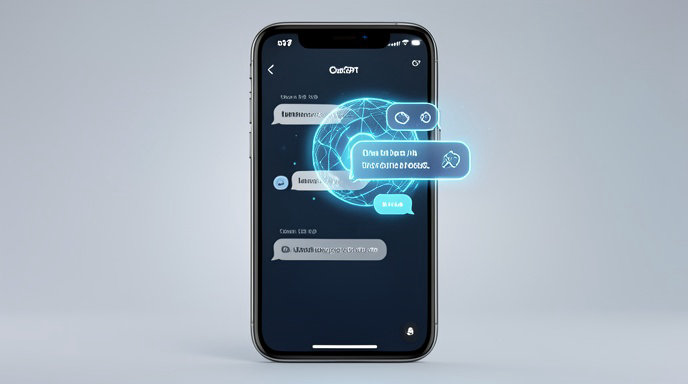
The concept behind the new integration is simple but ambitious: let ChatGPT live inside your Apple Messages workflow. Instead of just helping you draft a reply that you copy and paste, the plug-in is designed to operate as an automated scribe.
According to early descriptions, the system connects to Apple Messages via the ChatGPT app's connector framework and Apple's on-device intelligence features. Once enabled, it can read incoming messages, understand context from the conversation history, and draft replies in your voice. Users can reportedly set it to different levels of automation - from suggesting drafts for approval to fully automatic sending for specific contacts or during set times like Focus modes, driving, or work hours.
The AI is said to learn your typical phrasing, emoji use, and tone to make responses sound natural rather than robotic, and it can pull context from other connected apps like Calendar and Contacts to provide more relevant replies.
Key Features at a Glance
Reports highlight several standout capabilities that go beyond a simple auto-responder:
Smart Drafting and Tone Matching: The plug-in can generate replies that mimic your personal writing style, with options to switch between casual, professional, concise, or friendly tones. You can also give it custom instructions like "always be brief with coworkers" or "be more enthusiastic with family."
Inbox Summaries and Priority Filtering: Instead of scrolling through dozens of unread texts, users can ask ChatGPT to summarize conversations, highlight urgent messages, and flag spam or low-priority chats to be handled later.
Automated Actions and Scheduling: The integration can reportedly handle common messaging tasks automatically, such as confirming appointments, sending ETA updates, rescheduling plans, or replying "I'm in a meeting, I'll call you back" when you're busy. It can also schedule messages to be sent later.
Hands-Free and Cross-Device Control: With Siri and voice integration, you can reportedly dictate instructions like "Tell Mom I'll be there at 7 and ask if she needs anything" and have the AI compose and send the polished message for you.
How to Set It Up
While Apple has not built this directly into iOS as a native feature, the setup process described for the ChatGPT Apple Messages connector is designed to be user-friendly and permission-based.
First, users need the latest version of the ChatGPT app on iPhone running a recent version of iOS. Inside the ChatGPT app's settings, a new Connectors or Apps section is said to include an option for Apple Messages. Tapping connect prompts a series of Apple permission requests, where you explicitly grant access to read and send messages.
From there, you can customize the automation. This includes choosing which contacts or groups the AI is allowed to auto-reply to, setting quiet hours or auto-reply triggers, and deciding whether drafts require manual approval before sending. A test mode is also described, letting you review how the AI would have responded before turning on full automation. Users can revoke access at any time from both iOS Privacy settings and the ChatGPT app.
Privacy Implications: Who's Reading Your Texts?
The convenience of an AI scribe comes with serious privacy questions. Giving any AI access to your personal messages - arguably the most private data on your phone - is a major trust decision.
OpenAI states that connected messages are not used to train its models by default and that access is governed by explicit user consent, but privacy advocates note that messages would still need to be processed on cloud servers to generate intelligent replies. That raises questions about data retention, encryption, and how long conversation logs are stored.
Apple has historically positioned iMessage as end-to-end encrypted and private, and any third-party integration would need to work within those privacy boundaries. Security experts recommend that users who try the feature carefully review what data is shared, limit automation to non-sensitive contacts, disable it for conversations involving financial, medical, or other confidential information, and regularly audit permissions.
Productivity vs. Authenticity: Should AI Send Texts For You?
For busy professionals, parents, or anyone overwhelmed by message overload, the productivity pitch is compelling. The plug-in could eliminate the constant context-switching of replying to texts, ensure you never miss an important message, and help maintain relationships when you're too busy to type.
However, it also blurs the line of authentic communication. If a friend, partner, or colleague thinks they're talking to you but are actually talking to your AI, does that damage trust? Critics argue that automating personal conversations could make interactions feel hollow and that over-reliance on AI could erode personal communication skills.
The most balanced approach emerging from early users is to use the AI as an assistant, not a replacement - letting it draft and summarize, but keeping a human in the loop for meaningful conversations. The technology may be ready to send texts for you, but whether you should let it handle every conversation is still a personal choice.
The Bottom Line
The ChatGPT Apple Messages plug-in represents the next logical step in AI assistance: moving from helping you write to actually helping you manage your digital life. If implemented with strong privacy controls and transparent automation, it could be a powerful tool for reclaiming time. But as with any AI that speaks in your name, the key will be using it intentionally - automating the routine so you have more energy for the conversations that truly matter.

Get All The Latest Updates Delivered Straight To Your Inbox For Free!