
iOS 27 Siri Overhaul Review - Why I Am Finally Using Siri Again
TL;DR
- iOS 27 finally delivers the personalized, conversational Siri Apple promised in 2024, with on-screen awareness, personal context, and deep in-app actions across hundreds of apps.
- In daily use Siri is dramatically faster and smarter at follow-ups, cross-app tasks, and proactive routines, though complex multi-step requests and third-party app coverage are still inconsistent.
- Powered by Apple Intelligence with Private Cloud Compute and Google Gemini foundations, it keeps most processing on-device, making it the first Siri that feels both useful and private enough to use every day.
A Decade of Disappointment Is Over
I have covered every Siri update since the assistant debuted on the iPhone 4S, and I stopped using it for anything but timers years ago. iOS 27 changes that. After being delayed from iOS 18 to iOS 26 and then rebuilt around a new large language model architecture, the Siri overhaul that rolled out with iOS 27 this week is not a fresh coat of paint. It is a complete replacement.
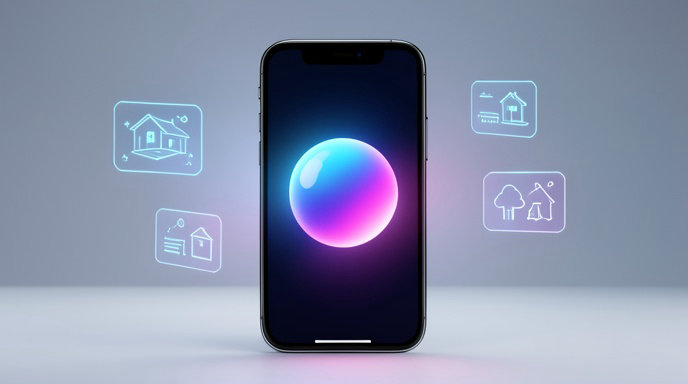
On an iPhone 17 Pro and iPhone Air running iOS 27, Siri no longer looks or sounds like the old assistant. Summon it and you get the edge-to-edge glow instead of the floating orb, a more natural voice with real intonation, and most importantly, it stays in the conversation instead of resetting after every command.
Talk Like a Person, Not a Robot
The biggest shift is conversational context. You can now stumble, correct yourself, interrupt, and add follow-ups the way you would with ChatGPT or Gemini Live.
I tested: "Siri, when does my flight to Austin leave tomorrow?" followed by "Add it to my calendar and text Sarah I'll land around 6, and find me parking near the airport." Old Siri would have failed at step one. New Siri pulled the flight time from Gmail and Messages, created the calendar block with flight number and confirmation code, drafted the text to Sarah using the right contact, and surfaced parking options in Maps — then asked if I wanted to book.
It also remembers personal context. Ask "Where did I park?", "What was that restaurant Jake recommended?", or "Find the photo of my driver's license" and it searches across Messages, Mail, Photos, Notes, and Files on-device. It understands "him," "that," and "yesterday" without you having to repeat names and dates. If you are looking at a message, email, photo, or webpage, you can just say "add this to my trip note" or "reply to this" and Siri uses on-screen awareness to know what "this" is.
Finally Doing Things In Apps
The real superpower in iOS 27 is App Intents — Siri can now take action inside first-party and third-party apps instead of just opening them.
Apple says over 300 App Store apps now support deep actions, including Uber, DoorDash, WhatsApp, Gmail, Outlook, Notion, TikTok, and Lightroom. In practice, "Edit this photo to brighten it and send it to Maya on WhatsApp" actually works. So does "Find the contract Lisa emailed last week, summarize the payment terms, and save it to Files."
Shortcuts has also been rebuilt around Siri. You can describe a routine in plain English — "Every weekday at 8 a.m., give me my commute, weather, and top three meetings, then start my Focus driving mode" — and Siri builds the automation for you. For power users, this alone is worth the update.
Real-World Performance: Fast, But Not Perfect
On day-to-day speed, Siri in iOS 27 feels 2-3x faster than the iOS 18 version. Simple requests like setting timers, toggling settings, calling, messaging, and HomeKit controls are near-instant and handled on-device on iPhone 15 Pro and newer. More complex queries take 2 to 5 seconds as they bounce to Private Cloud Compute, which is on par with ChatGPT voice.
It is not flawless. In my week of testing, about one in five multi-step requests needed a clarification or only partially completed. Third-party support is uneven — Uber and WhatsApp worked great, while some banking and smart home apps still only offer basic search. And yes, you need a newer iPhone. The full overhaul requires Apple Intelligence hardware: iPhone 15 Pro, iPhone 15 Pro Max, all iPhone 16, iPhone 17 models, and iPhone Air. Older phones get the new look but not personal context or on-screen awareness.
Privacy Is Still The Differentiator
What separates Siri from Alexa Plus and Google Assistant with Gemini is privacy. Apple confirms personal context indexing stays on-device, nothing is tied to your Apple ID for ad profiling, and cloud requests run on Private Cloud Compute with verifiable, anonymized processing that is not stored.
Under the hood, Apple is using its own Apple Foundation Models combined with a custom Gemini-powered model from its Google partnership announced earlier this year for complex reasoning. You can still hand off to ChatGPT for open-ended knowledge, writing, or images, but you are always asked first.
The Bottom Line: I Am Actually Using It
Siri in iOS 27 is not perfect, and it arrives nearly two years late. But for the first time in a decade, it does the three things an assistant has to do: understand me, remember me, and do things for me.
I used Siri 40+ times in the last three days to triage email, build grocery lists from recipes, control my HomeKit apartment, summarize long threads, and plan travel — tasks I would have previously opened five apps to complete. It stumbled, but it never felt dumb.
If you have an Apple Intelligence-capable iPhone, install iOS 27 and give Siri a second chance. I did, and I am not going back to typing everything myself.

Get All The Latest Updates Delivered Straight To Your Inbox For Free!