
macOS 27 Golden Gate: New Siri AI Takes On Productivity Apps in Major Redesign
TL;DR
- macOS 27 Golden Gate centers on a completely rebuilt, agentic Siri powered by Apple Intelligence that can act across apps, automate multi-step workflows, and rival ChatGPT, Copilot and Notion AI.
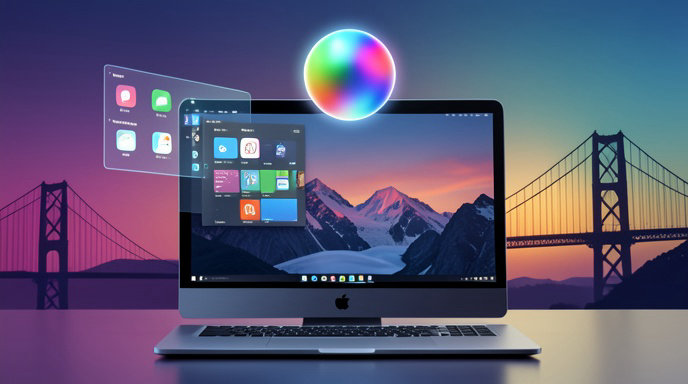
- Apple is refining last year's Liquid Glass look with a new consistent windows and icons system that unifies toolbars, shapes, and transparency across all native Mac apps.
- Golden Gate is in developer beta now following WWDC 2026, with a public beta in July and full release this fall, focused squarely on on-device speed, privacy, and pro productivity.
Siri Finally Grows Up
Apple is betting that the Mac's next killer productivity app isn't an app at all. It's Siri.
In macOS 27 Golden Gate, previewed at WWDC 2026 in June and now heading toward its fall release, Siri has been rebuilt from the ground up as an agentic AI assistant powered by the next generation of Apple Intelligence. This isn't the old voice timer-setter. The new Siri understands on-screen context, remembers conversation history, and can take action across first- and third-party apps with minimal prompting.
Ask it to pull numbers from three emails, drop them into Numbers, summarize the trend, and draft a Slack update, and it just does it. Users can type to Siri anywhere via Spotlight, speak naturally with pauses and corrections, or trigger it from a new persistent menu bar companion. All core processing runs on-device on Apple silicon, with Private Cloud Compute handling more complex queries without storing personal data.
Apple is also deeply integrating Siri with Shortcuts, Mail, Notes, Safari, Calendar, Reminders, Freeform, and Xcode. Developers get a new SiriKit Intents API that lets any app expose actions to Siri with just a few lines of code.
Siri Takes On The Productivity Giants
The message from Cupertino is clear: Apple wants Siri to replace the patchwork of AI side-apps Mac users currently rely on.
During its keynote and subsequent demos, Apple positioned the new Siri directly against top AI productivity tools like Microsoft Copilot, ChatGPT's desktop app, Notion AI, and Granola. Where those apps live in separate windows or browser tabs, Siri in Golden Gate is system-level and always present.
Key upgraded capabilities include:
- Live summarization and rewriting across documents, PDFs in Preview, and Safari pages, with tone and length controls.
- Proactive workflow suggestions, like preparing a meeting brief before a Calendar event by pulling files, emails, and links.
- Cross-app automation in plain English, such as organizing the Desktop, renaming batches of files, creating Reminders from voice notes, and building Keynote decks from Notes.
- On-device semantic search that finds files by meaning, not just filename, for example searching blurry whiteboard photo from March.
- Coding and terminal assistance in Xcode and Terminal that can explain errors, write scripts, and automate testing.
Early beta testers report Siri is dramatically faster and far more accurate than Apple Intelligence in macOS Tahoe, especially for multi-step tasks that previously required Shortcuts expertise.
Golden Gate's New Look: Consistent Windows and Icons At Last
Golden Gate isn't just an AI release. It's a major visual cleanup.
Apple is evolving the Liquid Glass design language introduced in macOS 26 Tahoe with what it calls consistent windows and icons. After years of mismatched toolbars, sidebars, and icon shapes between Catalyst, SwiftUI, and legacy AppKit apps, macOS 27 enforces a unified system.
Every native app now shares the same rounded, translucent window chrome, floating toolbar, unified sidebar behavior, and light-refracting controls. App icons have been redesigned on a single grid with consistent depth, shadow, and glass-edge treatment, from Finder and System Settings to GarageBand and the App Store. Dark Mode and tinted icon modes carry over seamlessly.
The result is calmer multitasking, with clearer window layering, more consistent traffic lights and search fields, and Stage Manager and Spaces animations that feel smoother and less distracting. It's not a radical departure, but for long-time Mac users, it's the visual coherence they've been asking for since Big Sur.
What It Means For Mac Productivity And Workflow
Together, the changes point to a new Mac workflow: less clicking, less app-switching, more delegating.
Instead of juggling five productivity subscriptions, Apple envisions users staying in flow while Siri handles the busywork in the background. For knowledge workers, that means instant meeting recaps, automatic file organization, and one-prompt project setup. For creators and developers, it means AI that understands your project context across Finder, Photos, Final Cut Pro, and Xcode without uploading work to the cloud.
Privacy remains Apple's core differentiator. Unlike cloud-first rivals, most Siri tasks in Golden Gate never leave your Mac on M1 and later machines, with M3, M4, and the upcoming M5 chips unlocking the full agentic feature set. IT admins also get new controls to disable cloud extensions or limit Siri actions enterprise-wide.
There are still questions about third-party adoption, accuracy with complex professional apps like Adobe Creative Cloud and Microsoft 365, and how Siri will handle ambiguous commands. Apple says it will expand with more actions through the fall.
Release Date, Compatibility, And What's Next
macOS 27 Golden Gate is available now as a developer beta, with a public beta launched in July 2026. The final release is expected in September or October 2026 alongside new Macs, likely as a free upgrade.
Apple confirms compatibility with all Apple silicon Macs, though the full Siri AI experience requires an M1 Mac or later, with the fastest on-device models reserved for M3 and newer. Select Intel Mac features will be limited to the new design without advanced Apple Intelligence.
If Tahoe was about introducing a new look and the promise of AI, Golden Gate is about delivering on it. With a Siri that can actually do work and an interface that finally feels like one coherent system, macOS 27 could be the most important Mac productivity update in a decade.

Get All The Latest Updates Delivered Straight To Your Inbox For Free!