
ChatGPT Virtual Try-On Launches: OpenAI's New AI Shopping Features Explained
TL;DR
- OpenAI has launched Virtual Try-On in ChatGPT, letting U.S. shoppers visualize clothing and accessories on their own photos before buying.
- A new Favorites library and personalized For You feed let users save products, get price-drop alerts, and receive tailored recommendations.
- The update signals OpenAI's bigger push into agentic commerce, turning ChatGPT from a chatbot into a full AI shopping assistant powered by merchant integrations.
How It Works: Your Photo Becomes the Fitting Room
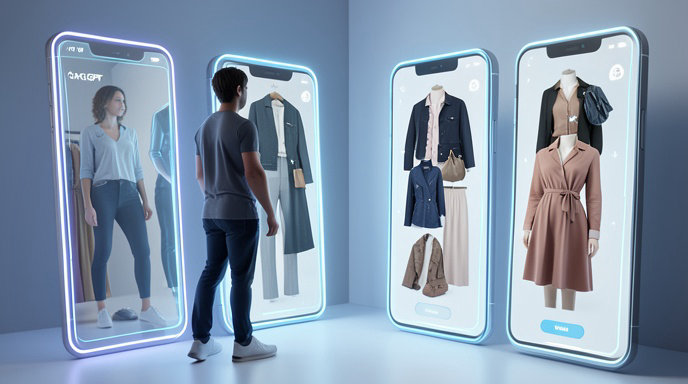
OpenAI is turning ChatGPT into a virtual fitting room. The new try-on feature, rolling out this week in the U.S., lets shoppers see how an outfit might actually look on them without ever leaving the chat window.
When you ask ChatGPT for shopping ideas - like fall jackets under $200, wedding guest dresses, or new sunglasses - eligible clothing and accessory results now include a "Try it on" button. Tap it, upload a full-body photo or snap one with your camera, and ChatGPT generates a realistic preview of you wearing the item.
OpenAI says the system uses its advanced image generation to preserve body shape, pose, and lighting while draping the garment naturally. You can try on multiple sizes and styles, mix and match tops and bottoms, and ask follow-ups like "show me this in a more casual style" or "will this work for a rainy commute?" For accessories like handbags, sunglasses, and hats, the preview overlays the product on your photo to show scale and fit.
The company is positioning it as a solution to the biggest pain point of online shopping: returns due to poor fit or unexpected looks. Early demos show surprisingly detailed fabric folds, shadows, and proportions, though OpenAI cautions it's a visualization aid, not a guaranteed fit predictor.
How to Try It On: A Step-by-Step Guide
Getting started takes seconds, no separate app required:
- Ask ChatGPT to shop: Type something like "find linen shirts for summer under $75" or "show me trendy sneakers."
- Look for the hanger icon: On supported products, you'll see a Try it on prompt on the product card.
- Add your photo: Upload an existing clear, front-facing photo or take a new one. For best results, use good lighting, a neutral background, and fitted clothing.
- Preview and refine: ChatGPT will generate your try-on in about 20-30 seconds. You can then ask it to swap colors, compare two jackets side-by-side, or complete the look with matching pants.
- Buy when ready: If you like what you see, tap through to the merchant to check out. U.S. users can also use Instant Checkout for select sellers directly in ChatGPT.
OpenAI says your photos are handled with privacy in mind and are not used to automatically identify you, and you can delete try-on images at any time from settings. The feature is launching first for adult users in the U.S. on iOS, Android, and web, with global expansion planned.
Meet Favorites and For You: ChatGPT Gets a Memory for Shopping
Try-on isn't the only upgrade. OpenAI also introduced two new shopping organization tools designed to make ChatGPT feel more like a personal stylist.
Favorites is a new saved-products library built into ChatGPT's sidebar. Anytime you see something you like, tap the bookmark icon to save it with its price, merchant, image, and AI-generated summary. Your Favorites sync across devices, so you can save a jacket on your phone and try it on later from your laptop.
Even more useful: ChatGPT will now send proactive price-drop alerts for items in your Favorites, letting you know when that $180 coat drops to $130.
Alongside that is a new For You feed on the ChatGPT home screen. Similar to TikTok or Instagram shopping tabs, it surfaces curated product picks based on your past chats, saved Favorites, and stated preferences like size, budget, and style. If you've been shopping for minimalist home decor and trail running shoes, For You will adapt accordingly. OpenAI says you can edit or clear these preferences and shopping memories at any time.
Why This Matters: The Future of AI-Powered Shopping
This launch is much bigger than a fun photo filter. It's OpenAI's clearest move yet to own the entire shopping journey - from discovery to decision to checkout.
ChatGPT already became one of the web's top product discovery tools after OpenAI added shopping results last year. Now with visual try-on, persistent memory, and Instant Checkout via its Agentic Commerce Protocol, it can compete directly with Google, Amazon, and TikTok Shop.
For merchants, the stakes are huge. OpenAI says product listings are pulled from third-party feeds including Shopify, Etsy, and other catalog partners, with no pay-to-rank placement. Brands that provide high-quality images, accurate sizing data, and 3D-ready assets will be more likely to be try-on compatible and recommended.
For shoppers, it points to a future where you no longer scroll through dozens of tabs and reviews. Instead, you describe your need, see it on yourself, save it for later, and let AI watch the price.
OpenAI plans to expand try-on to more categories like beauty, eyewear prescriptions, and home furniture placement, plus add multi-person try-ons and video previews. As one executive put it during the announcement: search helps you find clothes, but ChatGPT wants to help you know if you'll actually wear them.

Get All The Latest Updates Delivered Straight To Your Inbox For Free!