
Google Play Lets Anyone Build Private Vibe-Coded AI Apps for Android
TL;DR
- Google now lets anyone vibe-code a personal Android app with AI prompts and install it privately via Google Play without a public store listing or full review.
- The flow uses Google's AI builders like Opal and Firebase Studio to generate, test, and sideload a private build tied to your own Google account, with options to share via private link or internal track.
- The shift lowers the barrier for personal customization and indie experimentation, but private apps still face limits on capabilities, distribution, and Android's upcoming developer verification rules.
What Are Private Vibe-Coded Apps?
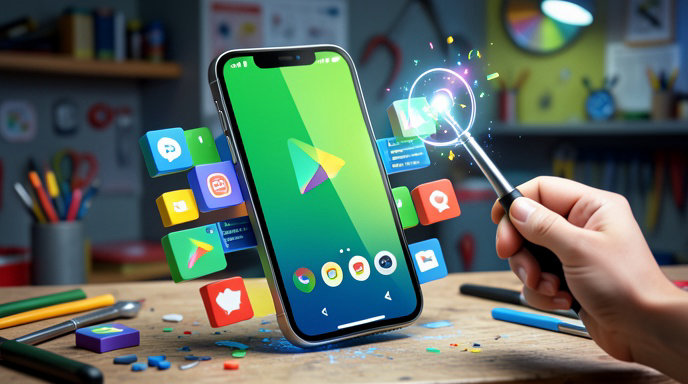
Google is quietly redefining what an Android app can be. Instead of spending months learning Kotlin, setting up Android Studio, paying for a Play Console developer account, and submitting for public review, you can now simply describe the app you want in plain English and keep it just for yourself.
These are private vibe-coded apps — lightweight, AI-generated Android apps built from prompts, remixed from templates, or assembled with Gemini-powered tools. Think: a personal workout tracker that looks exactly how you like, a Japanese flashcard app for your kids, a chores dashboard for your family, or a niche tool for your D&D group.
They install like normal Android apps and live on your home screen, but they never appear in public Play Store search. Only you — and anyone you explicitly invite — can see or install them.
This is Google's answer to the vibe-coding boom. Tools like Lovable, Replit, Bolt, and Vercel's v0 proved people want to build software by chatting with AI. Google's version is now deeply tied into Android itself, with a private distribution path that skips the traditional publishing grind.
How It Actually Works
The experience is intentionally simple, and that's the point.
You start in one of Google's AI app builders, most notably Opal, Google Labs' experimental vibe-coding platform, alongside Firebase Studio and Gemini in Android Studio. You type something like "make me a minimalist habit tracker with dark mode and daily reminders" and the AI generates the working app logic, UI, and workflows in seconds.
From there, you can iterate conversationally — change colors, add Google Sign-In, connect to a Sheets backend, add Gemini AI features. No code required, though you can drop into code if you want more control.
When you're happy, you hit Share or Publish to Android. Instead of creating a full public Play Store listing with screenshots, content ratings, privacy policy, and days of review, you choose Private / Personal Use.
Google then packages the build and makes it available to you privately. Depending on the tool, that means a direct install link tied to your Google account, an internal testing track in Play Console, or a managed private listing in Google Play that only authorized Gmail accounts can access. You authenticate, tap install, and it lands on your Pixel or other Android phone like any other app.
For updates, you just re-prompt and re-publish. The private link stays the same, and your phone gets the new version without going through public review again.
Under the hood, Google still scans these private builds for malware and abuse via Play Protect and Play Integrity, but it waives most of the public listing requirements that slow indie developers down.
Who Can Build Them — And What You Need
This is the biggest shift: you don't need to be a registered Play developer to make a personal app anymore.
Anyone with a standard Google account in supported regions, primarily the U.S. to start, can vibe-code in Opal and install one private app for personal use. You don't need the $25 Play Console developer account, a company name, or D-U-N-S number unless you want to publish publicly or share broadly.
If you want to share with more people, Google offers tiers:
Personal Only: Free, just for you, installed on your own devices. Perfect for self-built utilities and experiments.
Private Sharing: Invite up to a small group via email — family, friends, testers — via a private Play link or internal test track. Recipients just accept the invite, no sideloading APKs from random websites.
Public Play Store: If your vibe-coded experiment turns into something real, you can upgrade to a full Play Console developer account, complete verification, and submit for public review and monetization.
There are limits. Private apps can't use certain high-risk permissions, can't run foreground services unchecked, and can't be monetized with Play Billing while private. Storage, background work, and AI API quotas are also capped to prevent abuse. And if you want to distribute outside Play entirely by sideloading an APK, you'll still need to comply with Android's new developer verification requirements rolling out in 2026 and 2027.
Why This Matters for Android Customization
Android has always sold itself as the customizable alternative to iPhone. Launchers, widgets, Tasker routines, custom ROMs — power users could bend their phones to their will.
Private vibe-coded apps take that to the next level. Instead of hunting for the perfect to-do app and settling for one with ads and subscriptions you hate, you just build it.
Want a widget that shows only your kid's school lunch menu and soccer schedule? Vibe-code it. Want a bedtime story generator with your children's names and voices built in? Vibe-code it. Want a one-button logger for migraines, water intake, or mileage that saves straight to your Drive? Vibe-code it.
Because these apps are private, they don't need to appeal to a million users or follow mass-market design trends. They can be weird, hyper-personal, and single-purpose — the exact kind of apps that would never survive public Play Store economics.
Combined with Gemini's on-device capabilities, Material You theming, and Android's widgets and Tiles, your phone becomes less a grid of someone else's apps and more a collection of your own tools. It's the return of truly personal computing.
What It Means for Indie Creators
For indie developers and creators, this is both liberating and complicated.
On the positive side, the prototype-to-phone loop has collapsed from weeks to minutes. An indie maker can validate an idea with 10 real users via private sharing before paying for a developer account, hiring a designer, or braving Play review. It's a zero-risk sandbox for experimentation, client demos, portfolio pieces, and niche community tools.
It also opens a new funnel: start private, go public if it sticks. Google is betting that thousands of private experiments will turn into tomorrow's breakout Play apps — all built inside its ecosystem with Firebase, Gemini APIs, and Google Cloud attached from day one.
The concern is control. Private apps live and die inside Google's AI builder and Play infrastructure. Quotas, model pricing, permission limits, and policy changes can break a personal app overnight. And with Android tightening sideloading rules to require verified developer identity even outside the Play Store, truly independent distribution is getting harder, not easier.
Still, for a generation raised on TikTok templates and ChatGPT prompts rather than Java classes, the message is clear: if you can describe it, you can install it. You no longer need permission from the Play Store to have an app of your own.
What's Next
Google is expected to expand private publishing beyond the U.S., raise sharing limits, and integrate Opal-style building directly into the Play Store app and Files app. Rumors also point to on-device Gemini Nano generating simple utilities entirely offline, and deeper integration with Google Home, Wear OS, and Android Auto so one prompt can spin up experiences across all your screens.
The Play Store isn't going away — but it's no longer the only way to get an Android app. The future of Android might not be a store with 3 million public apps, but millions of invisible, private apps that only one person ever uses.

Get All The Latest Updates Delivered Straight To Your Inbox For Free!