
Turn Off Instagram's Instants Feature: A Step-by-Step Guide
TL;DR
- Instagram's new Instants feature auto-shares photos to your Friends list by default—disable it via Settings > Content Preferences > Hide Instants in Inbox to stop receiving them.
- To retract an accidentally shared Instant, use the immediate "Undo" option or delete from your Instants archive in messages.
- The feature aims for quick, ephemeral sharing but has sparked backlash for its sneaky defaults; toggling it off restores full control.
What Are Instagram Instants?
Instagram recently rolled out Instants, a global feature designed for spontaneous, ephemeral photo sharing. Think of it as a raw, camera-snapped image that lands directly in your friends' inboxes as a slideshow-style feed. Users can react with emojis, but it's meant to capture genuine moments without the polish of Stories or Posts. Launched just yesterday, it's already dividing users—praised for its simplicity by some, criticized by others for aggressively pushing content without clear warnings.
The core issue? By default, snapping a photo with Instants sends it to your entire Friends list instantly. No confirmation prompt, no double-check—just whoosh, it's out there. Meta positions it as a fun, low-friction way to connect, but privacy hawks are up in arms, flooding forums like Reddit and X with pleas to shut it down.
Why Users Are Racing to Disable It
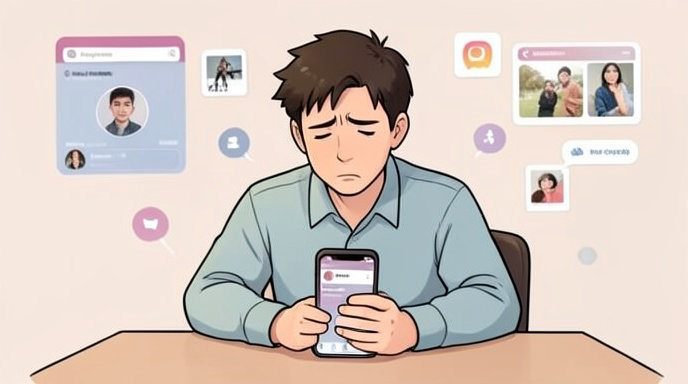
The backlash is real. Many discovered the hard way that one accidental tap floods hundreds of contacts with unintended pics. Social media is buzzing with stories of retracted selfies and awkward family snaps gone viral in private circles. "It's like Instagram decided consent is optional," one Redditor vented. While the feature promotes "authentic" sharing, its opt-out-only model feels like a privacy minefield in an era of data scandals.
Thankfully, Instagram provides straightforward tools to fight back. Whether you want to nuke it entirely or just pause the chaos, here's how to reclaim your feed.
Step-by-Step: How to Completely Disable Instants
Disabling Instants hides it from your inbox, preventing you from seeing or receiving any. It's the nuclear option and takes seconds:
- Open Instagram and head to your profile (bottom-right icon).
- Tap the three-line menu in the top-right corner to open Settings.
- Scroll to "Settings and Activity" > "What you see" > "Content preferences."
- At the bottom, find "Hide Instants in inbox" and toggle it on.
Boom—Instants vanish from your messages. No more surprise photo dumps. For a temporary fix, long-press the Instants stack in your inbox and swipe right to mute incoming ones.
How to Retract an Accidental Instant
Sent something regrettable? Act fast—Instagram gives you a grace period:
- Immediate Undo: Right after snapping, an "Undo" button pops up under the shutter. Tap it to yank the photo before friends see it.
For anything already sent:
- Open Messages and tap the star icon on the right for Instants view.
- Hit the archive icon (bottom-left) to access your sent Instants.
- Select the photo, tap the three dots (top-right), and choose "Delete Instant."
Repeat for multiples. Note: Recipients might have already glimpsed it, but deletion removes it from their end too.
Alternatives and Pro Tips
Not ready to fully disable? Adjust sharing defaults to "Close Friends" before snapping to limit blasts. Or, explore Instants' collage mode (top-left icon) for batch previews before sending.
Instagram hasn't detailed rollout plans, but it's live for most users now. Keep an eye on updates—Meta might tweak defaults amid the uproar. In the meantime, these steps put you back in the driver's seat, ensuring your "instants" stay instant and private.
If you're still seeing Instants post-toggle, force-quit the app or update to the latest version. Stay vigilant, folks—social media evolves fast, but your privacy shouldn't.

Get All The Latest Updates Delivered Straight To Your Inbox For Free!