
Google's NotebookLM Rebranded as Gemini Notebook: What's New?
TL;DR
- **Rebranding & Integration**: NotebookLM is now fully integrated into the Gemini app as "Notebooks," allowing users to access, edit, and chat with their personal knowledge bases directly within Gemini chats.
- **Bidirectional Sync**: Changes made in either app (renaming, adding sources, updating instructions) automatically sync across NotebookLM and Gemini, creating a unified workflow.
- **Expanded Access & Features**: The feature launched in April 2026 for Google AI Ultra, Pro, and Plus web users, with advanced NotebookLM capabilities like Video Overviews and Audio Overviews now accessible inside Gemini.
The Shift from Standalone Tool to Integrated Platform
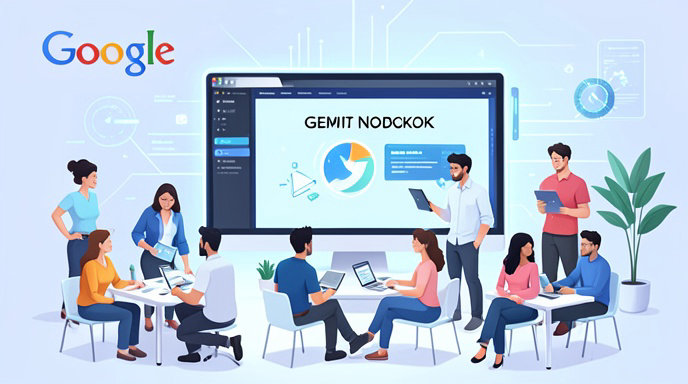
Google has officially transformed its standalone research tool, NotebookLM, into a core feature within its flagship AI assistant, the Gemini app. While the underlying technology remains the powerful NotebookLM engine, the user experience has shifted to "Notebooks in Gemini." This integration, announced in April 2026, marks a strategic move to position Gemini not just as a chatbot, but as a comprehensive work and research platform. Instead of navigating between two separate interfaces, users can now access their personal knowledge bases directly from the Gemini side panel, streamlining how they organize projects and interact with files.
How Notebooks in Gemini Work
The new "Notebooks" section in the Gemini app serves as a centralized hub for your research. When you create a notebook in the dedicated NotebookLM interface, it automatically appears in Gemini's navigation, allowing you to view, edit, and chat with it without leaving the app. This is not merely a cosmetic link; it is a deep integration that allows users to start a new notebook by clicking "New notebook" on the Gemini side panel. The system supports a bidirectional sync, meaning that if you rename a notebook, add new source documents, or update custom instructions in NotebookLM, those changes instantly reflect in Gemini, and vice versa.
Unlocking Advanced Features Inside Gemini
One of the most significant updates is that all advanced NotebookLM features are now accessible to notebooks created or managed within Gemini. Previously, features like Video Overviews, infographics, and AI-generated Audio Overviews were exclusive to the standalone NotebookLM interface. Now, users can generate these rich outputs directly from their Gemini chats. Additionally, the integration allows Gemini chats to serve as context for notebooks; users can opt in to include their chat history with a specific notebook as shared context, helping the AI build a more comprehensive knowledge base over time.
Rollout Timeline and Availability
The rollout of Notebooks in Gemini began on April 8, 2026, initially targeting premium subscribers on the web. Immediate access was granted to Google AI Ultra ($200/month), Google AI Pro ($19.99/month), and Google AI Plus users. Google has confirmed a staggered expansion plan to broaden access:
- **Mobile Support**: The feature is expanding to the Gemini mobile app for iOS and Android in the coming weeks.
- **Free Users**: Access for free users will be included, though with reduced limits on the number of sources and available features.
- **Global Expansion**: Access is expanding to more countries across Europe, with specific dates for regions like Italy expected by the end of April for premium users and May/June for free users.
For Workspace users, the ability to add NotebookLM notebooks as a source in Gemini chats was also expanded to Enterprise and Education users in January 2026, ensuring deeper, source-grounded responses for business and school environments.
What This Means for Your Workflow
The integration fundamentally changes how users manage information. Google Drive acts as the repository for raw materials, NotebookLM identifies the right information from those materials, and Gemini processes that information into concrete outputs like reports, slides, and websites. By unifying these steps, Google eliminates the friction of copying and pasting data between tools. Users can now maintain a single, synchronized knowledge base that evolves as they chat, ensuring that their research and creative outputs are always grounded in their most up-to-date sources.

Get All The Latest Updates Delivered Straight To Your Inbox For Free!