
ChatGPT Goes Visual: OpenAI Unveils New Interactive Interface
TL;DR
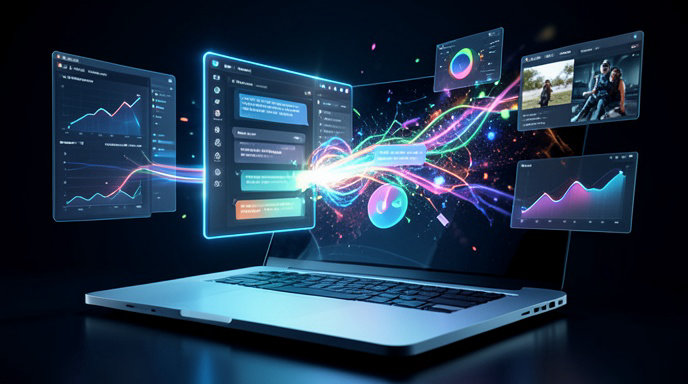
- OpenAI has launched a new visual interface for ChatGPT that automatically turns text answers into interactive cards, timelines, diagrams, maps, and dashboards.
- The update is rolling out now across web, iOS, and Android for free, Plus, and Pro users, with developer APIs to build custom visual components.
- The move signals OpenAI's biggest UX shift yet, positioning ChatGPT as a multimodal AI workspace to compete with Google, Anthropic, and Apple rather than just a chatbot.
Beyond the Chatbot: ChatGPT Gets a Visual Makeover
ChatGPT is no longer just a wall of text. OpenAI this week unveiled a major redesign that transforms everyday conversations into rich, interactive visuals, marking the most significant change to how users experience ChatGPT since its launch in 2022.
Announced on October 6th and rolling out globally starting October 8th, the new system automatically detects when a visual would be more helpful than paragraphs and generates it in-line. Ask for a trip itinerary and you get an explorable map with day-by-day cards. Ask how photosynthesis works and you get an animated diagram you can click through. Ask to compare two phones and you get a sortable comparison table with images, specs, and shopping links.
In a demo video shared by OpenAI CEO Sam Altman, ChatGPT builds a financial dashboard, a language lesson, and a home workout plan in seconds, all without the user ever asking for a visual.
What’s Actually New
At the core of the update is what OpenAI calls dynamic interfaces. Instead of responding with static text, ChatGPT running on GPT-5 now chooses the best layout for the answer.
The launch includes several key formats: Interactive Cards for recipes, products, books, music, and local places; Visual Boards for planning trips, events, and projects; Live Diagrams and Timelines for explaining complex ideas in science, history, and coding; and Data Canvases that turn uploaded spreadsheets or documents into charts, calculators, and dashboards you can manipulate.
All visuals are fully interactive. Users can drag sliders, expand sections, hover for definitions, edit numbers in a budget and see totals update in real time, or click a location on a generated map to refine the itinerary. The conversation remains underneath, so you can keep chatting to tweak the result with follow-ups like make this kid-friendly or shorten this to three days.
How It Changes Everyday Use
For casual users, the shift is about speed and clarity. OpenAI says internal testing shows visual answers reduce follow-up questions by nearly half for tasks like shopping research, how-to learning, and travel planning.
For power users, it’s about workflow. The new interface supports multi-visual conversations, where ChatGPT can keep several interactive panels open in a sidebar while you chat. A student can compare a timeline of World War II alongside an essay outline. A developer can view live code next to a rendered preview of a website. A small business owner can upload sales data and get a quarterly dashboard that stays updated as they ask questions.
The experience works with voice and video too. In multimodal mode, you can speak to ChatGPT and have it draw the visual as you talk, or point your camera at a whiteboard, fridge, or math problem and get an interactive breakdown overlaid on the image.
Available Everywhere, With More to Come
The visual interface is live now on chatgpt.com, the desktop apps, and the iOS and Android apps. Free users get access to core visuals with limits, while Plus and Pro subscribers get higher limits, larger interactive workspaces, and early access to experimental layouts like 3D models and mini-games.
OpenAI also confirmed a new Visual Components API for developers. Businesses will soon be able to plug their own interactive widgets directly into ChatGPT, from airline booking cards to fitness trackers, similar to an app store inside the chat. Shopify, Spotify, Expedia, and Zillow were shown as early launch partners.
Why This Is a Major Shift Toward Multimodal AI
This is more than a design refresh. It’s OpenAI’s clearest move yet away from the prompt-and-paragraph chatbot era toward what it calls ambient, agentic computing.
For years, AI assistants have forced humans to adapt to machines by reading long text outputs. Google with Gemini, Anthropic with Claude Artifacts, and Meta with its AI glasses have all been racing to make AI more visual, spatial, and touchable. OpenAI’s update leapfrogs them by making visuals automatic and conversational, not something users have to request or build themselves.
Analysts say it also sets the stage for OpenAI’s next battles: AI-powered browsers, operating systems, and hardware. A ChatGPT that can design interfaces on the fly doesn’t need traditional websites or apps — it becomes the interface itself.
The challenges are real, from accessibility and load times to accuracy of AI-generated charts and maps. OpenAI says all visuals include source citations and links, and users can toggle back to plain text at any time.
But the direction is unmistakable. ChatGPT is learning to show, not just tell. And in doing so, OpenAI is betting that the future of AI isn’t chatting — it’s interacting.

Get All The Latest Updates Delivered Straight To Your Inbox For Free!