
Figma Unveils Agent Controls and Code Layers Open Beta for AI-Powered Design
TL;DR
- Figma introduced new agent customization controls that let teams define how AI agents behave, what they can access, and how they complete design tasks inside Figma.
- Code Layers has entered open beta, creating a live link between design layers and working code so edits stay in sync for designers and developers.
- The combined launch signals Figma's push to make AI-assisted design controllable, transparent, and production-ready for real product teams.
A New Layer of Control for AI in Design
Figma is moving to give product teams far more say over how artificial intelligence operates inside its platform. Instead of a one-size-fits-all assistant, the company is rolling out powerful new controls that allow organizations to define how AI agents work, where they work, and what they are allowed to do.
The shift reflects a growing demand from design and engineering leaders for AI that is useful but also predictable. As agents take on more complex tasks like generating variants, cleaning up files, renaming layers, building prototypes, and preparing handoff specs, Figma wants admins and makers to set clear guardrails.
Customizing Agents to Fit Team Workflows
The new agent customization features focus on instruction, scope, and permissions. Teams can provide custom instructions that shape an agent's tone, process, and output style, ensuring it follows house conventions for naming, structure, accessibility, and component usage.
Admins can also limit which files, projects, libraries, or design systems an agent can touch. That means an agent assisting with marketing pages can be kept separate from a core design system, while an agent helping with developer handoff can be given read access to code-connected components without edit rights elsewhere.
Figma is also emphasizing transparency in agent actions. Agents show what they plan to do, what they changed, and allow easy review and reversal, a critical step for building trust as AI moves from suggestion to execution.
Code Layers Enters Open Beta
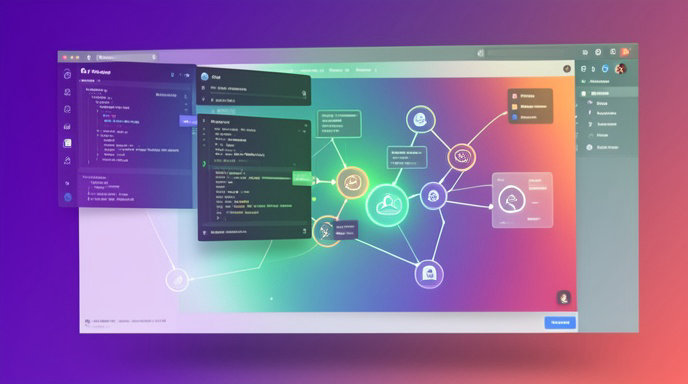
Alongside agent controls, Figma has launched the open beta of Code Layers, one of its most developer-focused features to date. Code Layers is designed to bridge the long-standing gap between visual design and production code.
Rather than treating design and code as separate artifacts, Code Layers allows code to live alongside design layers. Developers can attach real, working code to components and frames, while designers continue to work visually. Changes on either side stay connected, reducing translation errors and duplicated work during handoff.
For teams using design systems, this means a button, card, or form designed in Figma can be directly linked to its coded counterpart. Props, states, styling, and behavior can stay aligned, making it easier to go from mockup to shippable product without rebuilding from scratch.
What It Means for Designers
For designers, the message is control without added complexity. Agent customization means less cleanup work, because AI helpers can be taught to follow auto-layout best practices, use the right variables and styles, and respect content constraints.
Code Layers also gives designers more confidence that what they design is actually buildable. By surfacing real code logic inside the canvas, designers can see constraints early, experiment with real data and states, and avoid designs that will break in development.
What It Means for Developers
For developers, Code Layers in open beta is the bigger breakthrough. Instead of redlining pixels or reverse-engineering Figma files, engineers can work with live code connections, inspect implementation details in context, and push updates that reflect directly in design.
Combined with scoped AI agents, developers can also delegate tedious tasks like mapping design tokens to code, generating responsive variants, documenting components, or scaffolding front-end structure while keeping strict control over repositories and code quality.
Toward AI-Powered, Production-Ready Design
Together, agent controls and Code Layers point to Figma's broader strategy: make AI powerful, but governed, and make design output closer to production. The company is positioning Figma not just as a design tool, but as the shared workspace where product intent, visual design, and code converge.
As Code Layers matures through open beta and more teams define custom agents, expect faster iteration cycles, cleaner design systems, and a tighter designer-developer loop. The challenge ahead will be adoption, governance, and proving that AI agents can reliably ship high-quality work at scale.

Get All The Latest Updates Delivered Straight To Your Inbox For Free!