
Laytr App Review: Save Anything Online and Sync Privately Across Apple Devices
TL;DR
- Laytr is a new save-anything app for iPhone, iPad, and Mac that lets you store articles, recipes, screenshots, videos, and PDFs in one private, searchable archive.
- Unlike traditional read-it-later tools, Laytr focuses on visual organization, offline access, and full-content preservation rather than just links.
- Everything syncs privately across Apple devices using iCloud with no ads, no data selling, and no account required.
Beyond Read-It-Later
The read-it-later category hasn't changed much in years. Pocket is gone, Instapaper is quiet, and browser bookmarks are still a mess. Laytr arrives at the perfect time with a different pitch: don't just save links, save anything.
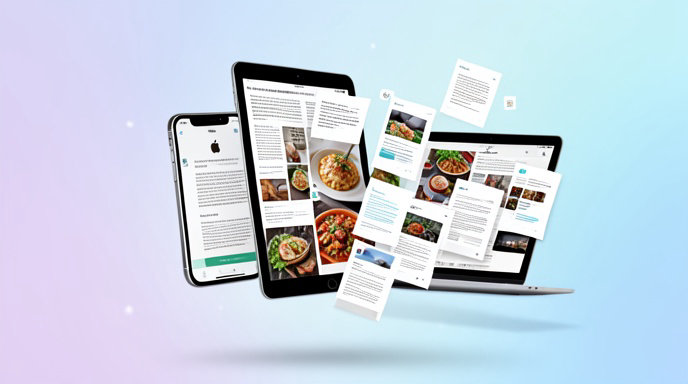
Launched this fall as an independent Apple-first app, Laytr is designed to be your personal internet archive. Found an interesting longread, a TikTok recipe video, a screenshot of a gift idea, a work PDF, or a product page you want to remember? You throw it into Laytr and it keeps the full content, beautifully formatted and available even if the original goes offline.
What You Can Actually Save
This is where Laytr pulls ahead of older tools. It's not limited to clean article text.
You can save articles with reader-friendly formatting stripped of ads and pop-ups. You can save recipes with ingredients and steps preserved in a distraction-free cooking view. You can save screenshots and photos with text automatically made searchable. You can save videos with links and embeds stored alongside your notes. And you can save PDFs, documents, and web pages as permanent snapshots.
Saving is done through the Share Sheet on iPhone and iPad, a Safari extension and menu bar helper on Mac, drag-and-drop, and even email-to-Laytr forwarding for newsletters and receipts.
Organization Without the Busywork
Laytr doesn't force you into rigid folders. Everything lands in a unified library that you can filter by type: Articles, Videos, Images, PDFs, Links, and Notes.
You can add tags, pin favorites, mark items To-Do or Done, and add quick notes or highlights. Full-text search works across titles, content, and even text inside images and PDFs, so that screenshot of a restaurant menu from three months ago is actually findable.
A standout touch is Laytr's Boards, visual collections for projects like trip planning, home renovation, gift ideas, or research. It's closer to Pinterest meets Notes than a traditional reading list.
Private by Design and Apple-Native
Privacy is Laytr's biggest selling point. There is no Laytr account, no cloud scraping, and no ad tracking. Your library syncs directly between your iPhone, iPad, and Mac using your own iCloud, with offline mode enabled by default.
The app is built with native Swift and SwiftUI, so it feels fast, supports Dark Mode, Dynamic Type, widgets, Live Text, Shortcuts, and Handoff. On Mac, saved items sync instantly from iPhone, and keyboard shortcuts make triaging a large archive painless.
The developer has committed to a no-ads, no-data-sale model, monetized through a one-time Pro unlock and optional subscription for power features like unlimited storage, advanced search filters, and bulk import tools.
Should You Switch to Laytr
If you only save two articles a month, Apple Reading List is probably enough. But if your camera roll is full of screenshots, your Safari tabs are overflowing, and you've lost good recipes and videos to dead links, Laytr is worth trying.
It's fast, private, genuinely useful for non-article content, and finally gives Apple users a modern home for everything they want to remember. In a crowded field of bookmark managers, Laytr stands out by doing one thing well: letting you save anything online and actually find it again.

Get All The Latest Updates Delivered Straight To Your Inbox For Free!