
IconSwapper Turns Mac App Icons Into Live AI Usage Dashboards
TL;DR
- IconSwapper turns macOS app icons into live visual indicators for AI activity and usage.
- Real-time data, animated icon states, and playful customization make system monitoring more immediate and personal.
- The concept could make AI-heavy workflows easier to understand, though users should verify supported services, privacy practices, and macOS compatibility before installing.
A More Animated macOS Desktop
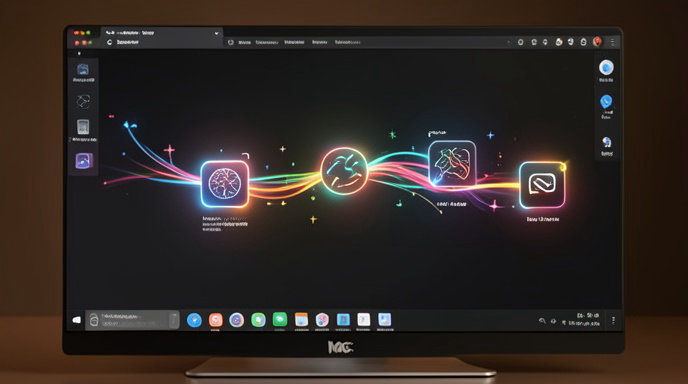
Mac app icons have traditionally been static launch points. IconSwapper proposes a more dynamic role: using them as compact dashboards that communicate what is happening inside AI-powered apps and services.
Instead of opening a separate analytics window, users can glance at an icon and see visual feedback tied to AI activity. An icon might change appearance as usage rises, animate while a task is running, or adopt a different state when a service is idle. The result is a macOS desktop that behaves less like a collection of shortcuts and more like an ambient information display.
Turning Usage Data Into Visual Signals
The central idea behind IconSwapper is to make AI activity visible without requiring users to interrupt their workflow. Traditional usage reports often involve navigating through settings pages, account dashboards, or third-party monitoring tools. IconSwapper moves that information to one of the most familiar parts of the desktop: the app icon.
A live icon could communicate activity through changes in color, badges, progress-style indicators, or other visual states. That approach is particularly relevant as developers and professionals increasingly use multiple AI tools throughout the day and need a quick way to understand which services are active or consuming resources.
The emphasis is not only on measurement. By making usage data glanceable, IconSwapper aims to turn otherwise abstract numbers into something users can recognize instantly.
Animations Add Context
Static indicators can show status, but animation can make changes easier to notice. IconSwapper’s dynamic effects are designed to signal transitions such as an AI task starting, continuing, completing, or reaching a usage threshold.
Subtle motion could help distinguish an active process from a dormant application, while more playful effects might give the desktop a personalized visual character. The challenge will be balancing visibility with restraint. Animations that are too frequent or distracting could become desktop noise, particularly for users managing many applications at once.
A well-designed system would likely give users control over animation intensity, timing, and notification behavior. That would allow IconSwapper to serve both people who want an expressive desktop and those who prefer quiet, functional indicators.
Customization Makes Monitoring More Personal
IconSwapper is also positioned as a customization tool rather than simply a utility. Users can potentially choose how different apps represent AI usage, select visual themes, and adjust the behavior of animated states.
This playful layer matters because desktop personalization is one of macOS’s enduring strengths. Custom icons, widgets, wallpapers, and menu-bar utilities let users shape their computers around individual habits. Adding AI-aware iconography extends that tradition into a category of software that is often presented through dense dashboards and technical metrics.
For some users, the appeal may be purely aesthetic. For others, custom visuals could make it easier to distinguish between AI services, identify active workloads, or notice when usage is approaching a personal limit.
Why Live AI Indicators Could Be Useful
AI usage is increasingly spread across writing tools, coding assistants, image generators, chat applications, and developer platforms. Each service may expose activity differently, and many require users to open a dashboard before they can see meaningful information.
A desktop-level indicator could provide several practical benefits:
- Faster awareness of which AI tools are currently active
- A simpler way to notice recurring or unusually high usage
- At-a-glance feedback during long-running tasks
- A more accessible visual alternative to usage tables and logs
- Better separation between idle apps and services still processing requests
The idea could be especially useful for people who run several AI-assisted workflows simultaneously. Developers, designers, researchers, and content creators may benefit from seeing activity without constantly switching windows.
The Data and Privacy Questions
Any app that displays real-time AI usage data must address where that information comes from and how it is handled. Depending on its integrations, IconSwapper may need access to application activity, service APIs, local process information, or account-level usage statistics.
Those details are important because AI usage data can reveal work patterns, projects, or sensitive business activity. Prospective users should look for clear information about permissions, data retention, network access, and whether monitoring takes place locally on the Mac or through a remote service.
Compatibility is another consideration. AI platforms do not necessarily expose usage information in the same format, and some may limit third-party access. The usefulness of IconSwapper will therefore depend on the services it supports, how frequently its data updates, and whether those integrations remain reliable as providers change their APIs.
The Balance Between Utility and Novelty
IconSwapper’s concept sits between system utility and desktop decoration. Its strongest argument is that it makes information more visible. Its most distinctive feature is the way it turns that information into a visual, animated part of the interface.
That combination could make routine monitoring feel less technical and more approachable. At the same time, the product will need to prove that its visual effects offer more than novelty. If the indicators are accurate, timely, and configurable, they could become a useful part of a Mac workflow. If not, they risk being little more than animated badges.
The quality of the experience will likely depend on customization controls. Users should be able to decide which apps are monitored, what events trigger visual changes, and whether the icons display broad status signals or detailed usage information.
A New Role for App Icons
IconSwapper reflects a broader shift in desktop software design. As applications become more connected and AI-driven, traditional icons are being asked to communicate more than identity. They can show unread messages, recording states, synchronization progress, system health, and now potentially AI activity.
That evolution turns the desktop into a passive monitoring surface. Instead of opening a dashboard to ask what is happening, users can receive small signals continuously while focusing on their primary work.
Whether IconSwapper becomes a practical monitoring tool or remains a creative customization experiment will depend on its integrations, performance, privacy model, and long-term support. But the premise is compelling: the Mac desktop does not have to be static, and app icons can provide useful context without demanding another window.

Get All The Latest Updates Delivered Straight To Your Inbox For Free!