
Can a TV Be Too Large? The Real Challenges of Upgrading to a 65-Inch OLED
TL;DR
- A 65-inch OLED is not automatically too large, but it can dominate a small room when viewed from too close or mounted poorly.
- The biggest challenges are viewing geometry, wall and furniture constraints, reflections, installation weight, and the visual intensity of a large high-contrast display.
- Measure the room, seating position, wall, and cable layout before buying; screen size is only one part of the upgrade.
A 65-inch OLED television promises an immediate transformation. Its self-lit pixels deliver deep blacks, sharp contrast, rich color, and a cinematic image that can make streaming shows, films, and games feel dramatically more immersive. For many households, it represents the sweet spot between premium picture quality and a screen that remains practical in an ordinary living room.
But bigger is not always better.
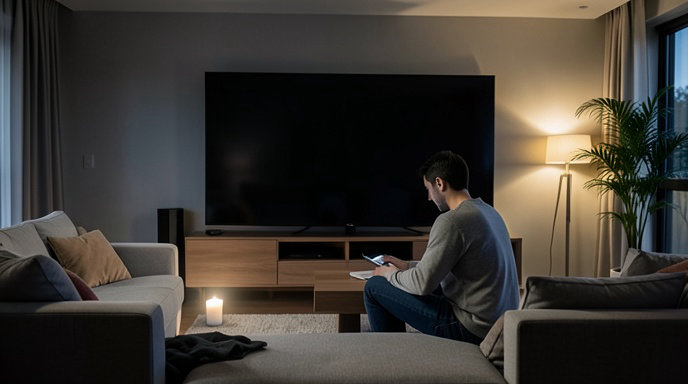
A 65-inch television can overwhelm a room physically, visually, and even ergonomically. The problem is rarely the panel itself. Instead, it comes from a mismatch between the screen, the seating distance, the wall, the furniture, and the way the room is used. A display that looks perfectly proportioned in a showroom may feel imposing at home, particularly in a compact apartment or a living room designed around conversation rather than home cinema.
Before upgrading, buyers should consider more than resolution and picture quality. The real question is whether the room can comfortably accommodate the experience a large OLED creates.
The Viewing-Distance Question
A 65-inch 4K television is generally most comfortable when viewers sit roughly 6.5 to 9 feet away, although personal preference varies. Sitting closer can make the image feel more immersive, while sitting farther away reduces the impact of the larger screen.
The issue is not that a 65-inch 4K display becomes inherently unusable at short distances. Modern 4K panels contain enough detail for close viewing, and OLED screens are often especially sharp because they offer excellent pixel-level contrast. The challenge is that a large screen occupies more of the viewer’s field of vision.
At distances of around 5 feet or less, some viewers may feel as though they are sitting in the front rows of a cinema. Fast camera movement can become more noticeable, subtitles require more eye movement, and sports or video games may demand frequent scanning from one side of the screen to the other.
At the other extreme, a room with seating 10 feet or more from the television may not gain as much benefit from moving up to 65 inches. The screen will still look good, but the perceived improvement in immersion may be modest compared with the cost of the upgrade.
The best test is simple: measure the distance from the viewer’s normal seating position to the front of the television, not to the wall behind it. Also consider whether multiple seats are positioned at different distances. A screen that suits the main sofa may feel excessive for a nearby armchair.
When Immersion Becomes Eye Strain
OLED technology is not generally considered harmful to the eyes under normal viewing conditions, but a large, bright screen can still cause discomfort. Eye fatigue may result from several factors: high brightness, strong contrast, rapid motion, flickering behavior at certain brightness levels, reflections, and the need to constantly scan a very large image.
This can be particularly noticeable when watching HDR content. High-dynamic-range video is designed to include brighter highlights and stronger contrast than standard content. On an OLED, those highlights can appear exceptionally vivid against near-black backgrounds. That is one of the technology’s greatest strengths, but it may feel intense in a dark room.
A 65-inch display also makes poor picture settings more obvious. Vivid or dynamic modes can push brightness, sharpness, color saturation, and motion processing beyond comfortable levels. For everyday viewing, a cinema, filmmaker, or similarly restrained picture mode is often easier on the eyes.
Ambient lighting matters as well. Watching a large, bright display in an otherwise dark room can increase perceived strain. A modest lamp or bias light behind the television can reduce the contrast between the screen and the surrounding wall. However, lighting should be positioned carefully so that it does not reflect in the panel.
The Room Can Look Smaller
A television is not just an electronic device; it is a major visual object. A 65-inch screen measures approximately 57 inches across and about 32 inches high before accounting for the stand or bezel. That is a substantial rectangle for a wall, especially in a small room.
The screen can become the first thing visitors notice when they enter. This may be desirable for a dedicated media room, but less welcome in a multipurpose living area. In a room with artwork, bookshelves, windows, or architectural features, the television may compete with everything else.
The problem becomes more pronounced when the television is placed on a shallow media console. The screen may extend well beyond the furniture, making the setup look top-heavy. A low-profile OLED can also appear oversized when paired with a narrow stand or a small cabinet.
Wall mounting can improve proportions, but it introduces its own complications. The television needs enough surrounding space to avoid looking cramped, and the mounting height must be chosen around the viewer’s eye level rather than the available wall space. Mounting the display too high is common, particularly when it is positioned above a fireplace. That can lead to neck discomfort and a less natural viewing angle.
Furniture and Layout Limitations
A large television often exposes weaknesses in the existing room layout. Sofas may be too close to the wall, side chairs may face the screen at awkward angles, and coffee tables may leave insufficient clearance for comfortable movement.
The screen’s width can also affect walking paths. A media unit that previously allowed easy access around the room may become an obstacle once a wider television and larger stand are installed. In apartments, the viewing wall may be shared with a doorway, radiator, shelving unit, or window trim.
OLED televisions are usually thin, but their slim panels do not eliminate practical space requirements. The power cable, HDMI connections, streaming devices, soundbar, and game consoles all need room. A wall-mounted display may look nearly flush from the front while still requiring a deeper cable channel or recessed outlet behind it.
Buyers should measure more than the wall. Important dimensions include the width of the cabinet, the distance between furniture and walls, the location of electrical outlets, the position of windows, and the clearance needed to rotate the television during installation.
Installation Is More Difficult Than It Looks
A 65-inch OLED may be lighter than some older LCD televisions, but it remains large, fragile, and awkward to handle. The panel is thin and should not be flexed or gripped in a way that places pressure on the display surface.
Getting the box through stairways, elevators, narrow hallways, and doorways can be a challenge. The packaged television is considerably larger than the screen itself, and many buyers do not discover the problem until delivery day.
Wall mounting typically requires two people, the correct bracket, suitable fasteners, and confidence that the wall can support the load. Drywall alone is not an adequate anchor for a large television. The bracket should be attached to studs or to an appropriate structural backing system.
Cable management is another source of frustration. HDMI cables may need to support features such as 4K at high refresh rates, variable refresh rate, and enhanced audio return. Older cables or poorly positioned ports can force the television to be removed from the wall after installation.
Anyone mounting the screen above a fireplace should also consider heat. Excessive heat can damage electronics over time, and the location is often too high for comfortable viewing. A large screen may make this mistake more noticeable because viewers must tilt their heads upward across a wider field of vision.
Reflections Remain a Major OLED Weakness
OLED televisions deliver superb black levels in controlled lighting, but many models use glossy or semi-gloss screen surfaces. These finishes help preserve contrast and color, yet they can reflect windows, lamps, and bright furniture.
A larger screen has more reflective area. A small lamp that was barely noticeable on a 50-inch television may become an obvious distraction on a 65-inch model. Daytime viewing can be especially difficult if the television faces a window.
The screen’s position should be planned around the room’s light sources. Whenever possible, avoid placing it directly opposite a large window or a bright lamp. Curtains and adjustable lighting can help, but buyers should not assume that a premium OLED will eliminate reflections.
Some newer displays include improved anti-reflection coatings, but these can affect perceived black levels, viewing angles, or the visibility of ambient light in different ways. No panel finish can completely overcome poor room placement.
Picture Quality Can Reveal More Problems
A 65-inch OLED makes high-quality content look exceptional, but it can also make low-quality content harder to ignore. Compression artifacts, soft broadcast feeds, poor upscaling, film grain, banding, and motion problems are more visible when the image occupies a larger portion of the viewer’s vision.
Streaming services do not deliver the same quality across all titles or subscription tiers. Older television programs and live broadcasts may look noticeably less refined than native 4K films. A viewer upgrading from a smaller screen may initially interpret this as a problem with the television, when the source material is actually the limiting factor.
OLED’s near-instantaneous pixel response can also expose motion characteristics that were less obvious on older LCD sets. Some viewers appreciate the clarity, while others notice stutter in cinematic content or find motion interpolation unnatural. Sports and games may benefit from the responsiveness, but settings often need adjustment for different types of content.
Burn-In and Long-Term Usage
Modern OLED televisions include panel-maintenance systems and protections designed to reduce the risk of permanent image retention. For typical mixed viewing, the technology can provide years of excellent performance.
Still, usage patterns matter. Repeatedly displaying the same static logos, news tickers, game interfaces, or desktop elements for long periods can increase the risk of uneven wear over time. This is more relevant for people who use a television as a computer monitor, leave news channels running throughout the day, or play a single game with a fixed interface for many hours.
A 65-inch OLED is not automatically more vulnerable simply because it is large, but the cost of replacing a large premium panel can make long-term care more significant. Buyers should use the manufacturer’s panel-protection features and avoid disabling automatic maintenance functions without a specific reason.
Sound Does Not Automatically Scale With the Screen
A large, cinematic picture can make the built-in speakers feel inadequate. Many thin OLED televisions produce clear dialogue, but their limited cabinet volume restricts bass and overall impact.
This can create an imbalance: the image feels like a home theater while the sound feels like a compact television. A soundbar may improve the experience, but it adds another device to the wall or media console. A full surround-sound system brings better immersion but requires additional speakers, wiring, and space.
The soundbar’s width should also be considered. A narrow soundbar may look undersized beneath a 65-inch television, while a large model may interfere with a low-mounted display or block the remote sensor. If the television is wall-mounted, the audio system should be planned at the same time rather than added as an afterthought.
The Cost Extends Beyond the Panel
The television itself is only part of the upgrade. Buyers may need a wall bracket, professional installation, longer or newer HDMI cables, a soundbar, a wider media console, surge protection, cable-management accessories, and possibly blackout curtains or improved room lighting.
A larger display can also expose the limitations of connected equipment. Older game consoles, streaming boxes, AV receivers, and HDMI switches may not support the desired combination of 4K resolution, high refresh rates, HDR, and modern gaming features.
These extra costs do not necessarily make a 65-inch OLED a poor choice. They simply mean the purchase should be treated as a room project rather than a single-box upgrade.
How to Decide Whether 65 Inches Is Right
Before buying, mark the proposed screen dimensions on the wall with painter’s tape. Include the approximate height of the television and, if relevant, the space occupied by a soundbar. Sit in the usual viewing position and live with the outline for a day or two.
Measure the actual viewing distance and consider the farthest and nearest seats. Check whether subtitles are easy to read without excessive head movement. Watch familiar content on a large display in a showroom, but remember that store lighting, picture modes, and viewing distance may not resemble the home environment.
Think about how the room is used. A 65-inch OLED can be ideal for a household that prioritizes films, console gaming, and sports. It may be less suitable for a room where the television is often viewed casually from multiple angles or where people regularly walk between the screen and seating area.
Also consider whether the furniture can be rearranged. A screen that technically fits may still make the room less comfortable if everyone must sit in a single fixed position.
The Bottom Line
A 65-inch OLED is not too large by default. For many living rooms, it offers a compelling balance of size, sharpness, and immersion. Its deep blacks and precise contrast can make even familiar content feel new.
But the upgrade can backfire when buyers focus only on the television’s specifications. A screen this large can dominate a small room, amplify reflections, expose weak source quality, create installation headaches, and produce an experience that feels visually intense rather than relaxing.
The smartest purchase is not necessarily the largest panel that fits on the wall. It is the largest screen that suits the room, the seating distance, the lighting, the furniture, and the way the household actually watches television. For some buyers, that will be 65 inches. For others, a smaller OLED will deliver a more balanced and comfortable result.

Get All The Latest Updates Delivered Straight To Your Inbox For Free!